

2026-06-14
Francesca Gino


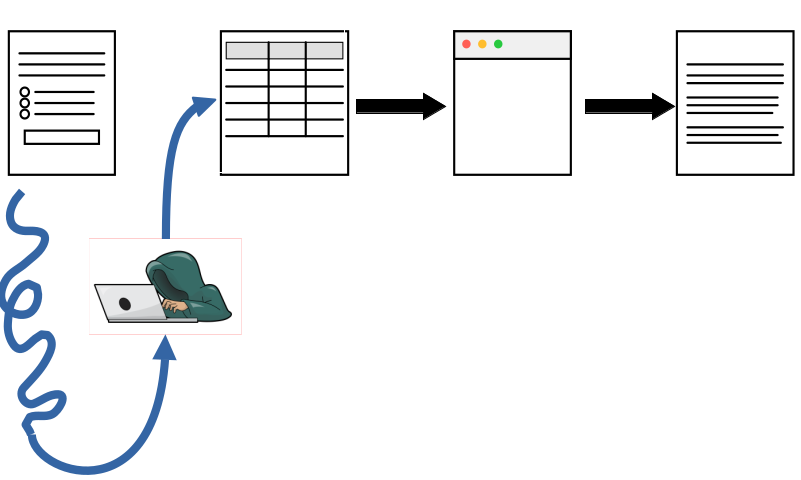
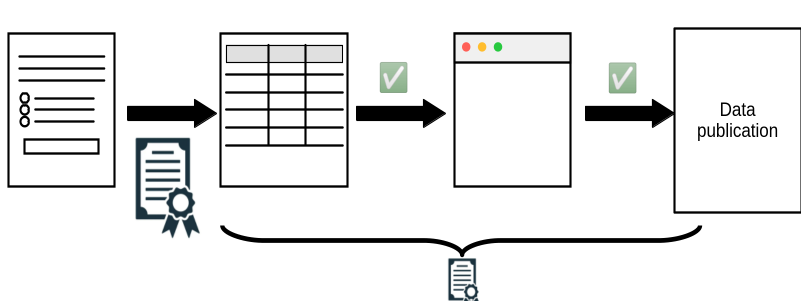
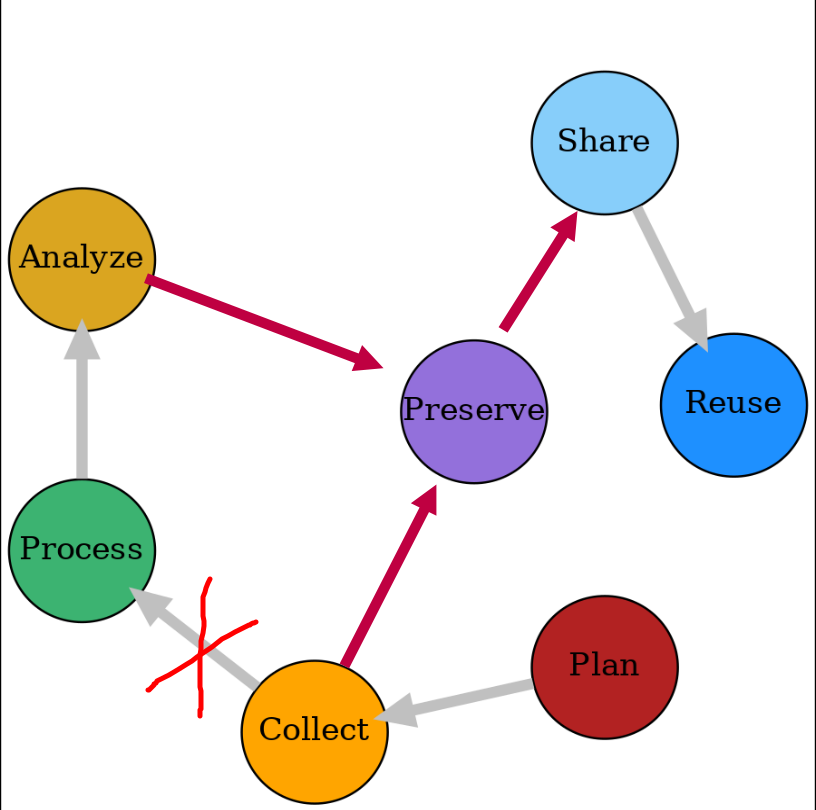
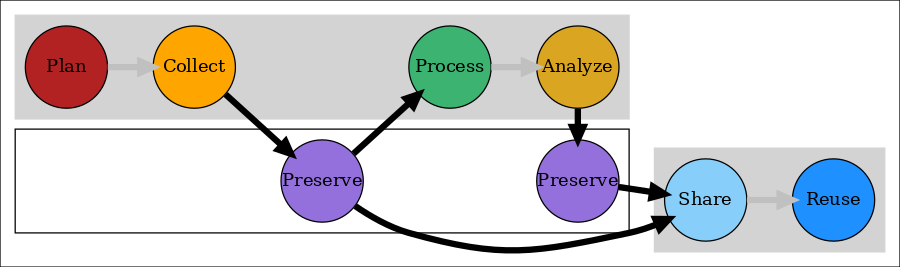
We’ll use an API to retrieve the data, show you how to clean and strip the data of confidential information and non-consenting responses, and use another API to preserve the data.
There is not much in this tutorial that requires Qualtrics.
It is important to remove any PII or confidential information as soon as possible.
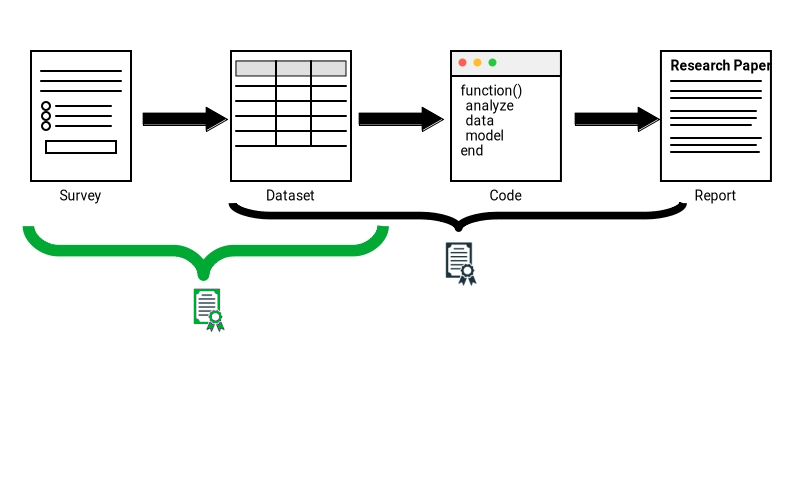
It is important to distinguish
All useful for sharing, but do not preserve the data
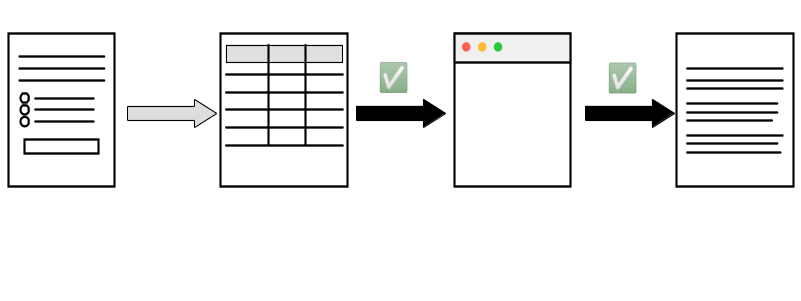
We will first walk through the core steps you can do by hand, in R:
You’ll typically have access to a Qualtrics account through your university or organization. Then it is easy to construct a survey using the web tool.
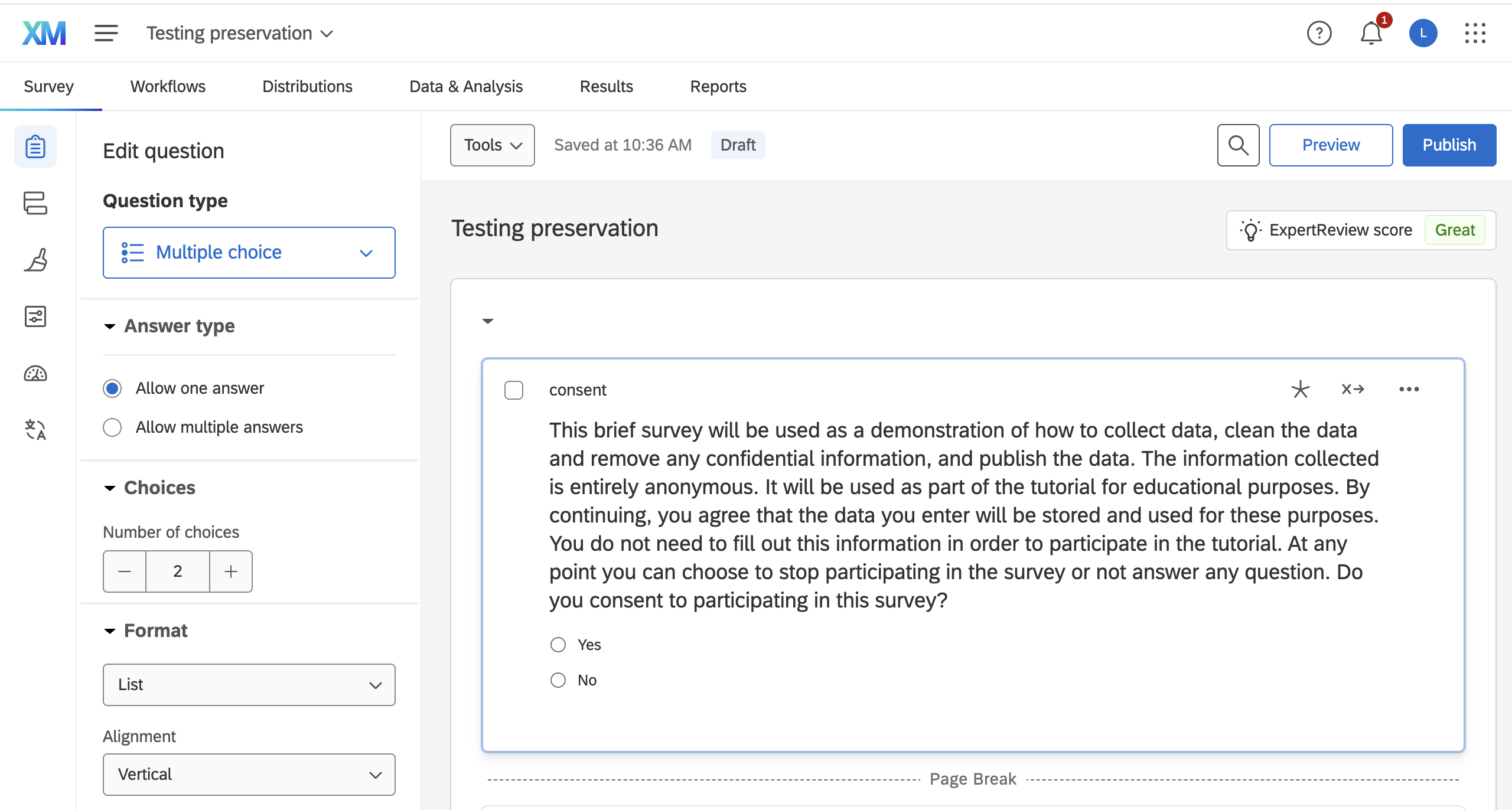
You should not forget to preserve your survey definition!
qsf file to save and transfer survey structure to have a backup survey template. Export as .qsf in Tools in Qualtrics.Tools in Qualtrics. Choose this option to get a well-formatted document.It is possible that your survey definition itself contains information that you are not allowed to publish:
It is actually hard to de-identify a
qsffile. We will not try to do this here, but you should be aware of this issue.

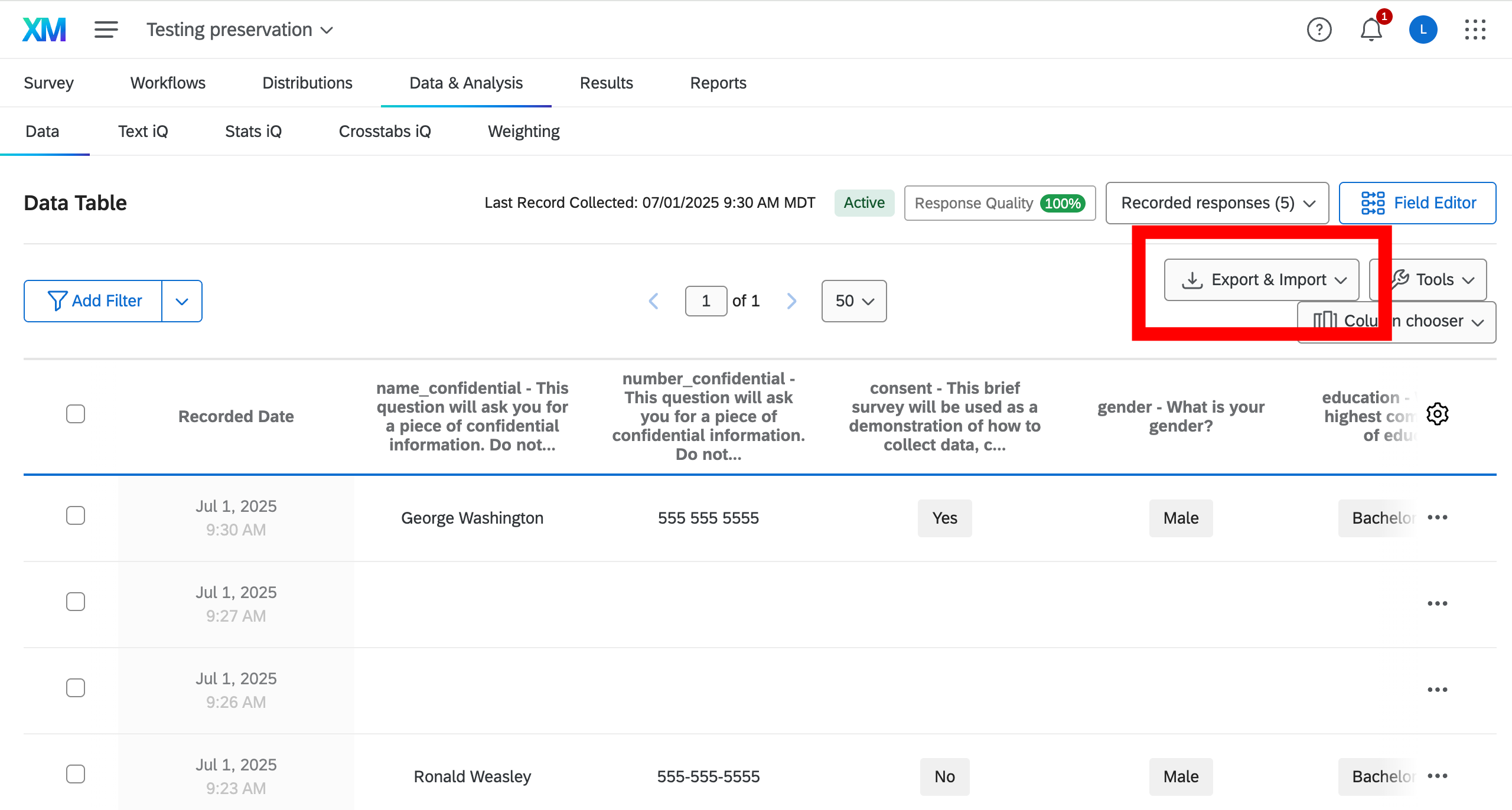
Responses can be easily checked at a glance in the Data and Analytics tab. 🔒
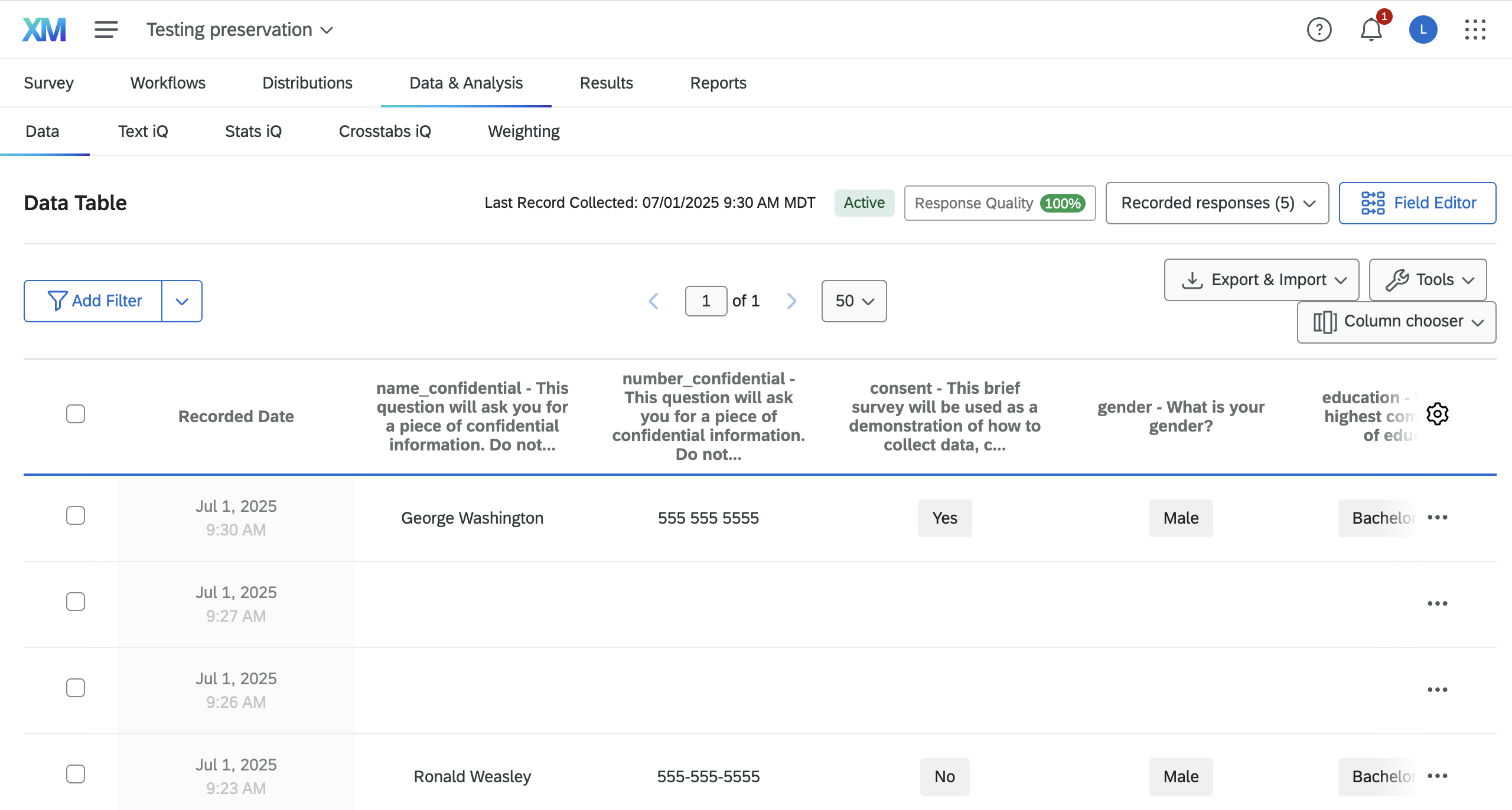
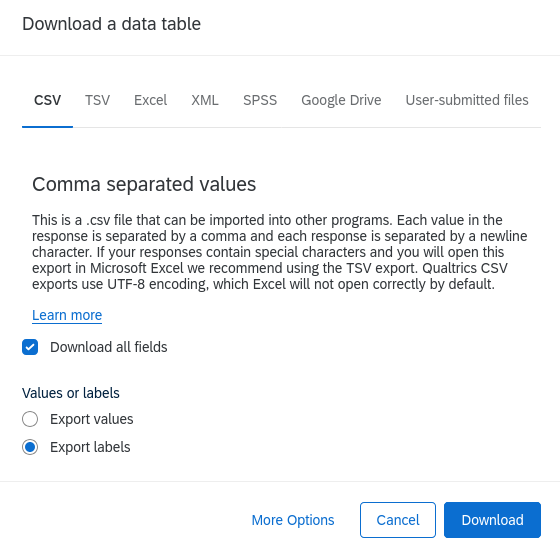
You can download data directly from this page

You can download data directly from this page

The data downloaded depends on parameters chosen. For instance, downloading as CSV with default settings yields
StartDate,EndDate,Status,Progress,Duration (in seconds),Finished,RecordedDate,ResponseId,DistributionChannel,UserLanguage,consent,age_1,gender,education,num_tabs_1,name_confidential,number_confidential
Start Date,End Date,Response Type,Progress,Duration (in seconds),Finished,Recorded Date,Response ID,Distribution Channel,User Language,"This brief survey will be used as a demonstration of how to collect data, clean the data and remove any confidential information, and publish the data. The information collected is entirely anonymous. It will be used as part of the tutorial for educational purposes. By continuing, you agree that the data you enter will be stored and used for these purposes. You do not need to fill out this information in order to participate in the tutorial. At any point you can choose to stop participating in the survey or not answer any question. Do you consent to participating in this survey?",What is your age? - Age (years),What is your gender?,What is your highest completed level of education?,"On your computer currently, how many open browser tabs do you have? - Number of tabs","This question will ask you for a piece of confidential information. Do not respond with a true answer, but instead make up a response. Question: what is your name?","This question will ask you for a piece of confidential information. Do not respond with a true answer, but instead make up a response. Question: what is your phone number?"
"{""ImportId"":""startDate"",""timeZone"":""America/New_York""}","{""ImportId"":""endDate"",""timeZone"":""America/New_York""}","{""ImportId"":""status""}","{""ImportId"":""progress""}","{""ImportId"":""duration""}","{""ImportId"":""finished""}","{""ImportId"":""recordedDate"",""timeZone"":""America/New_York""}","{""ImportId"":""_recordId""}","{""ImportId"":""distributionChannel""}","{""ImportId"":""userLanguage""}","{""ImportId"":""QID1""}","{""ImportId"":""QID2_1""}","{""ImportId"":""QID3""}","{""ImportId"":""QID4""}","{""ImportId"":""QID5_1""}","{""ImportId"":""QID6_TEXT""}","{""ImportId"":""QID7_TEXT""}"
2025-07-01 11:13:44,2025-07-01 11:14:18,IP Address,100,34,True,2025-07-01 11:14:19,R_5rYfeErcBsS3nsJ,anonymous,EN,Yes,24,Female,Master's degree,3,Harry Potter,555-555-5555
2025-07-01 11:23:01,2025-07-01 11:23:28,IP Address,100,26,True,2025-07-01 11:23:28,R_5rHTV2kfYGjFPep,anonymous,EN,No,21,Male,Bachelor's degree,11,Ronald Weasley,555-555-5555You downloaded the responses from the Qualtrics web interface (previous slide). Now read that exported file into R.
We want to be careful about managing our data structure:3
Let’s ensure that these paths all exist!
Directory already exists: /home/runner/work/tutorial-preserving-survey/tutorial-preserving-survey/data/raw-confidential
Created directory: /home/runner/work/tutorial-preserving-survey/tutorial-preserving-survey/data/confidential
Created directory: /home/runner/work/tutorial-preserving-survey/tutorial-preserving-survey/data/clean
Created directory: /home/runner/work/tutorial-preserving-survey/tutorial-preserving-survey/data/metadata
# A tibble: 6 × 17
StartDate EndDate Status Progress Duration..in.seconds.
<dttm> <dttm> <chr> <dbl> <dbl>
1 2025-07-01 11:13:44 2025-07-01 11:14:18 IP Add… 100 34
2 2025-07-01 11:23:01 2025-07-01 11:23:28 IP Add… 100 26
3 2025-07-01 11:26:40 2025-07-01 11:26:40 Survey… 100 0
4 2025-07-01 11:27:12 2025-07-01 11:27:12 Survey… 100 0
5 2025-07-01 11:30:26 2025-07-01 11:30:47 IP Add… 100 21
6 2025-12-19 12:20:44 2025-12-19 12:21:19 IP Add… 100 35
# ℹ 12 more variables: Finished <lgl>, RecordedDate <dttm>, ResponseId <chr>,
# DistributionChannel <chr>, UserLanguage <chr>, consent <chr>, age_1 <dbl>,
# gender <chr>, education <chr>, num_tabs_1 <dbl>, name_confidential <chr>,
# number_confidential <chr>
qualtRics packagequalTRics package# A tibble: 6 × 17
StartDate EndDate Status Progress Duration (in seconds…¹
<dttm> <dttm> <chr> <dbl> <dbl>
1 2025-07-01 11:13:44 2025-07-01 11:14:18 IP Ad… 100 34
2 2025-07-01 11:23:01 2025-07-01 11:23:28 IP Ad… 100 26
3 2025-07-01 11:26:40 2025-07-01 11:26:40 Surve… 100 0
4 2025-07-01 11:27:12 2025-07-01 11:27:12 Surve… 100 0
5 2025-07-01 11:30:26 2025-07-01 11:30:47 IP Ad… 100 21
6 2025-12-19 12:20:44 2025-12-19 12:21:19 IP Ad… 100 35
# ℹ abbreviated name: ¹`Duration (in seconds)`
# ℹ 12 more variables: Finished <lgl>, RecordedDate <dttm>, ResponseId <chr>,
# DistributionChannel <chr>, UserLanguage <chr>, consent <chr>, age_1 <dbl>,
# gender <chr>, education <chr>, num_tabs_1 <dbl>, name_confidential <chr>,
# number_confidential <chr>
name_confidential and number_confidential in our survey, for example).data.confidential <- data.raw |>
filter(consent == "Yes") |>
filter(Status != "Survey Preview") |>
filter(StartDate > QUALTRICS_STIME & EndDate < QUALTRICS_ETIME) |>
select(StartDate,EndDate,Status,Finished,RecordedDate,
ResponseId,consent,age_1,gender,education,
num_tabs_1,name_confidential,number_confidential)
data.clean <- data.confidential %>%
select(-name_confidential, -number_confidential)We could also simply not select the confidential data if we don’t actually need it.
We could also (hypothetically) immediately compute variables that rely on confidential data.
# not run
data.clean <- data.raw |>
filter(consent == "Yes") |>
filter(Status != "Survey Preview") |>
filter(StartDate > QUALTRICS_STIME & EndDate < QUALTRICS_ETIME) |>
select(StartDate,EndDate,Status,Finished,RecordedDate,
ResponseId,consent,age_1,gender,education,num_tabs_1,
gps_lat, gps_lon) |>
mutate(distance = compute_distance_from_cornell(
gps_lat,gps_lon,precision="100m")) |>
select(-gps_lat, -gps_lon) # save confidential data NOT for publishing, if needed
write.csv(data, file.path(confdatapath,"confidential_data.csv"),
row.names = FALSE)
saveRDS(data, file.path(confdatapath,"confidential_data.rds"))
# saving clean data for publishing
write.csv(data, file.path(cleandatapath,"clean_data.csv"),
row.names = FALSE)Now you are ready use your cleaned data for reproducible analyses!


We need to know a few things:
We may want to limit the responses we download programmatically. This is not part of API, but of good programming practices.
The API call replaces the manual download from before:
Can anybody just download these data?
NO!
We need to authenticate, but not by entering a password manually.
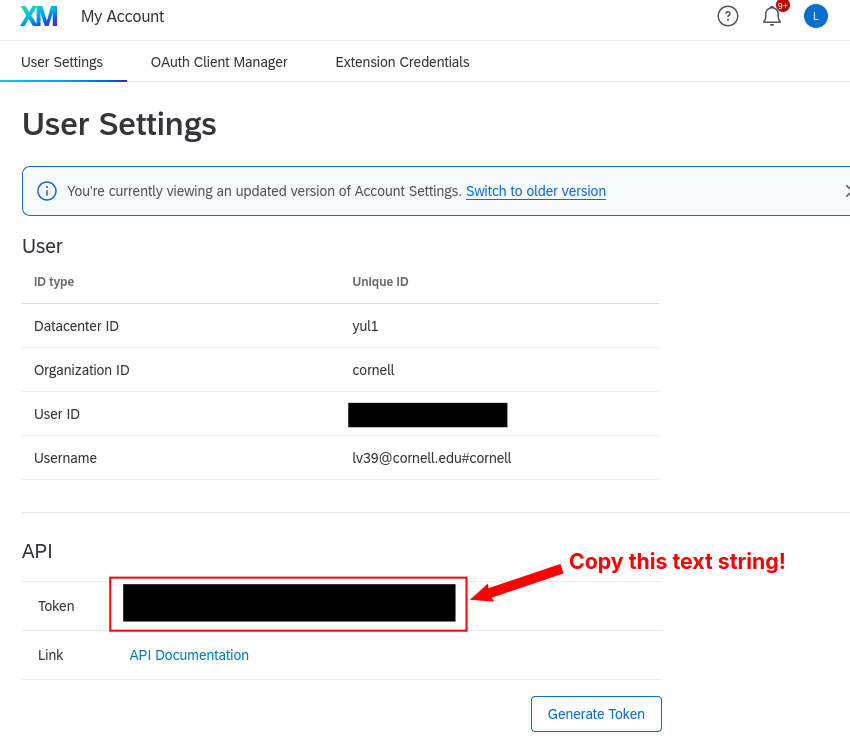
That’s where the API token comes in.
We need to set an API token, then we can download this.
data.raw now comes from the API instead of a downloaded file — but the cleaning and saving steps from before are exactly the same:
clean_data <- data.raw |>
filter(consent == "Yes") |>
filter(Status != "Survey Preview") |>
filter(StartDate > QUALTRICS_STIME & EndDate < QUALTRICS_ETIME) |>
select(StartDate,EndDate,Status,Finished,RecordedDate,
ResponseId,consent,age_1,gender,education,num_tabs_1)
write.csv(clean_data, file.path(publicdata,"clean_data.csv"),
row.names = FALSE)And of course works just fine in Python (and via Python, could use Stata!)
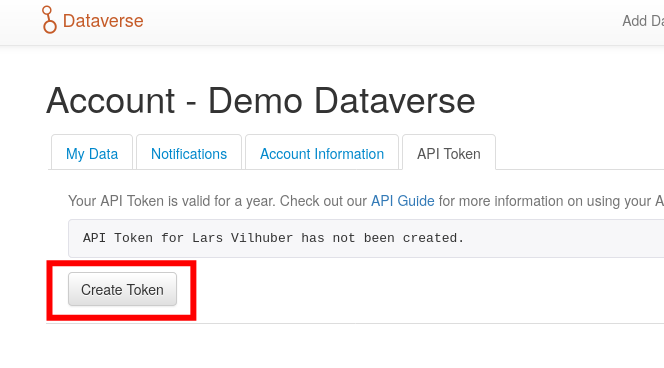
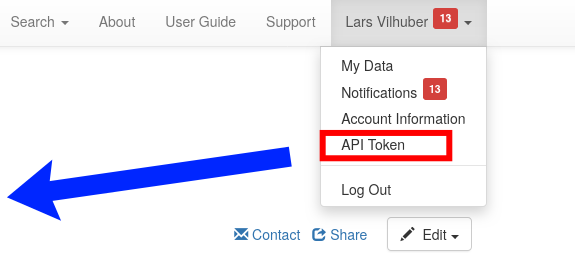
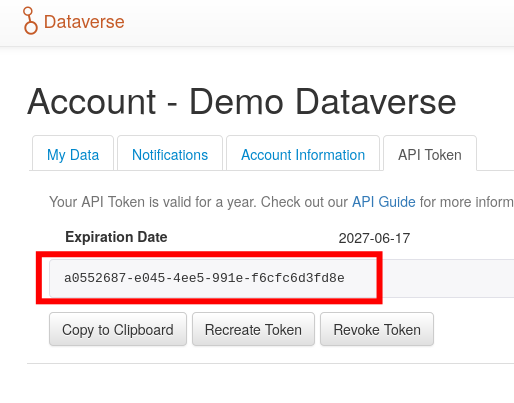
An API token is assigned to your Qualtrics account. Where do you find it?
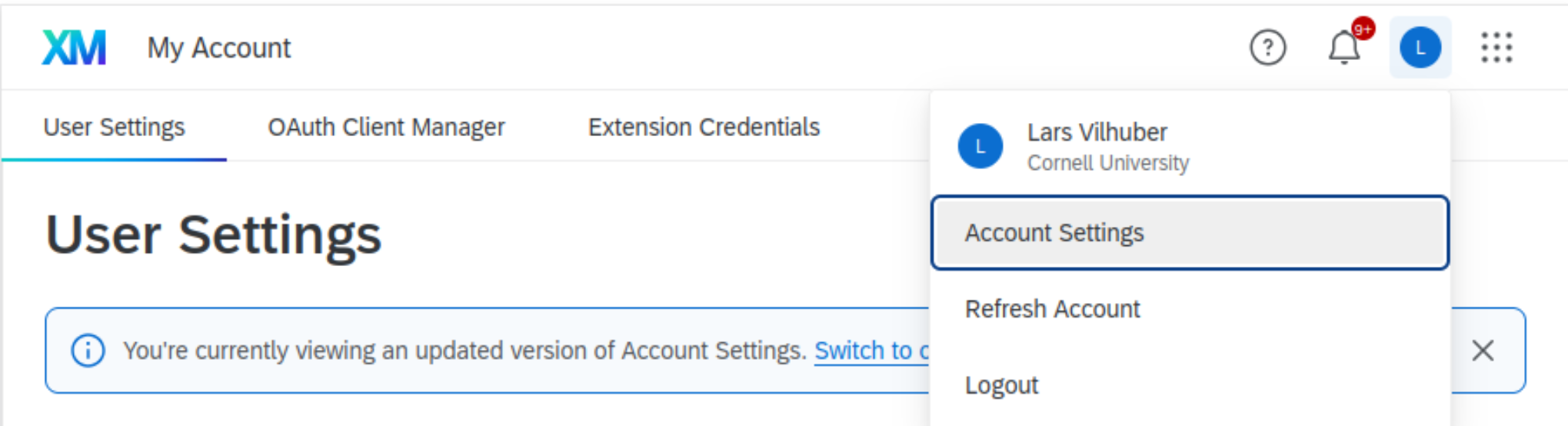

Not specific to the Qualtrics API!
.Renviron file) - good for testingWe want to automate on cloud servers!
GitHub Secrets and load it in GitHub Actions [link]Now we need to make it available to our code (regardless of where it comes from)
Now this works both locally and on cloud servers without any manual interaction!
QUALTRICS_FULL_URL <- "first part of survey URL"
QUALTRICS_SURVEY <- "second part of survey URL, usually starts with SV"
if (Sys.getenv("QUALTRICS_API_KEY") != "") {
data.raw <- fetch_survey(surveyID = QUALTRICS_SURVEY, verbose = TRUE)
} else {
stop("Please set the QUALTRICS_API_KEY environment
variable to your API key.")
}Qualtrics API credentials cannot be restricted to a single survey. skip
X-API-TOKEN)Separate, independent credentials for different applications:
Client ID and Client Secret credentials.That’s a problem.
jpal-survey-userjpal-survey-user!YOU, share only the specific survey with jpal-survey-user and give it only the permissions it needs.Renviron locallyYou already have a .Renviron for local development:
.Renviron file to set the GitHub Actions secrets with the Github CLI:
✓ Set Actions secret DATAVERSE_TOKEN for labordynamicsinstitute/tutorial-preserving-survey
✓ Set Actions secret QUALTRICS_BASE_URL for labordynamicsinstitute/tutorial-preserving-survey
✓ Set Actions secret DATAVERSE_SERVER for labordynamicsinstitute/tutorial-preserving-survey
✓ Set Actions secret QUALTRICS_API_KEY for labordynamicsinstitute/tutorial-preserving-survey
✓ Set Actions secret DATAVERSE_DATASET_DOI for labordynamicsinstitute/tutorial-preserving-surveyIn GitHub workflows, set your environment variables:
sha256 algorithm is commonly used for this purpose.if (Sys.getenv("QUALTRICS_API_KEY") != "") {
data.raw <- suppressMessages(fetch_survey(surveyID = QUALTRICS_SURVEY, verbose = FALSE))
data.raw.sha256 <- digest::digest(data.raw, algo = "sha256")
message("Checksum of the downloaded data: ", data.raw.sha256)
# Write checksum to a file
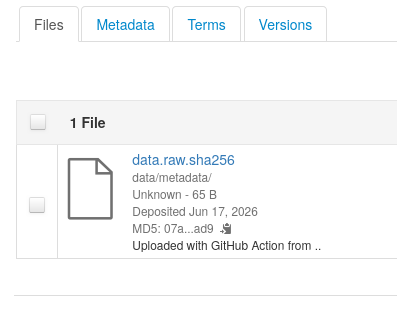
writeLines(data.raw.sha256, file.path(metadatapath, "data.raw.sha256"))
} else {
stop("Please set the QUALTRICS_API_KEY environment
variable to your API key.")
}Checksum of the downloaded data: a0e2146acc752debff66a670fe654c7618c45bacf6b8c634e58a21d5999fd222
Original checksum from file: a0e2146acc752debff66a670fe654c7618c45bacf6b8c634e58a21d5999fd222
Checksum of the downloaded data: a0e2146acc752debff66a670fe654c7618c45bacf6b8c634e58a21d5999fd222


Once you have registered your analysis plan - should the processing and analysis really change?
Once you have collected the data - is it really going to change?
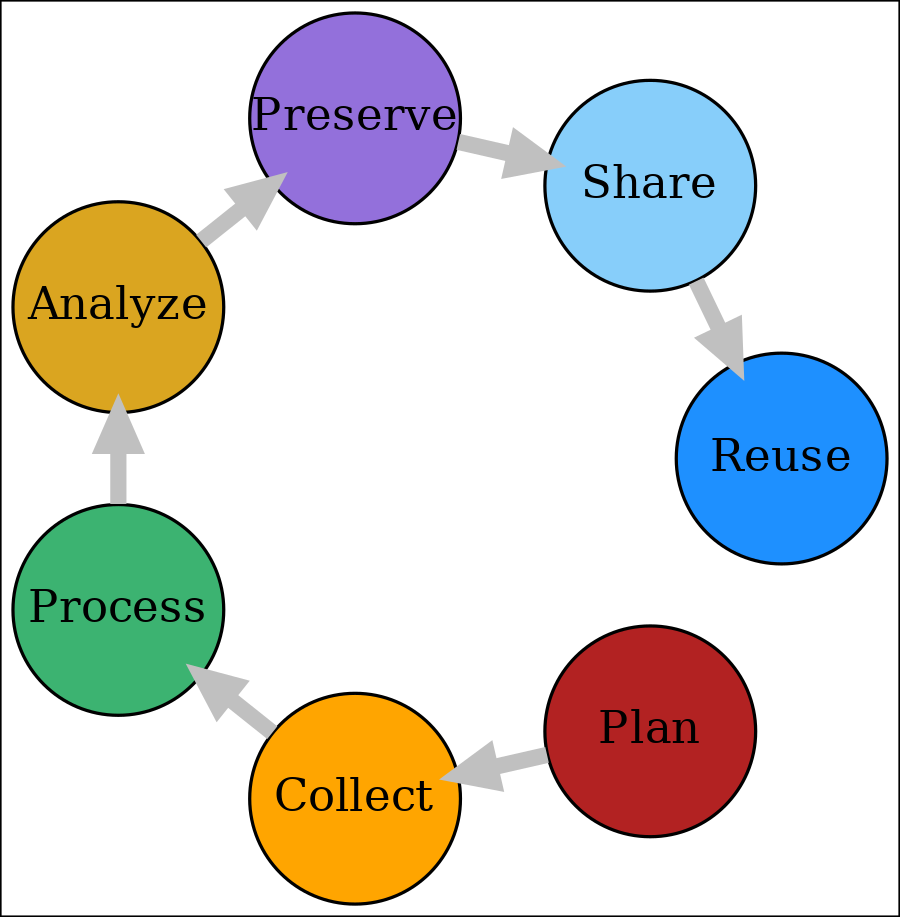
Let’s consider the preservation part separately:
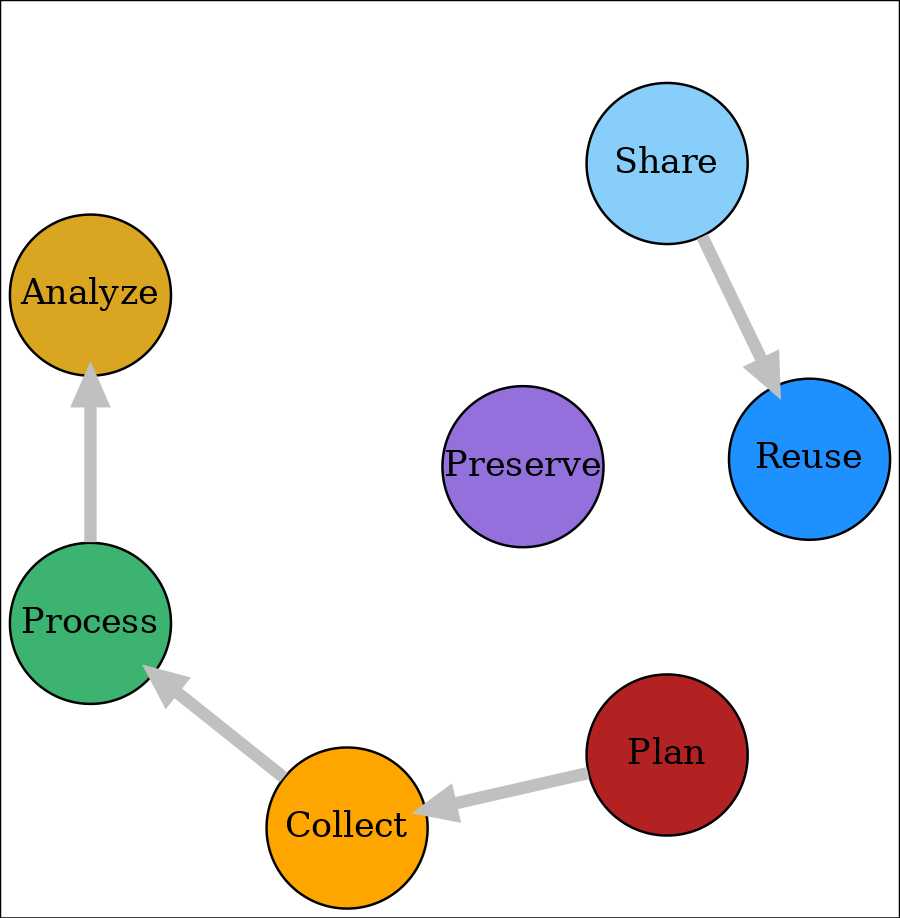
Proposal:

Proposal:

Proposal:

Thus, I’m not going to publish my raw data just yet!

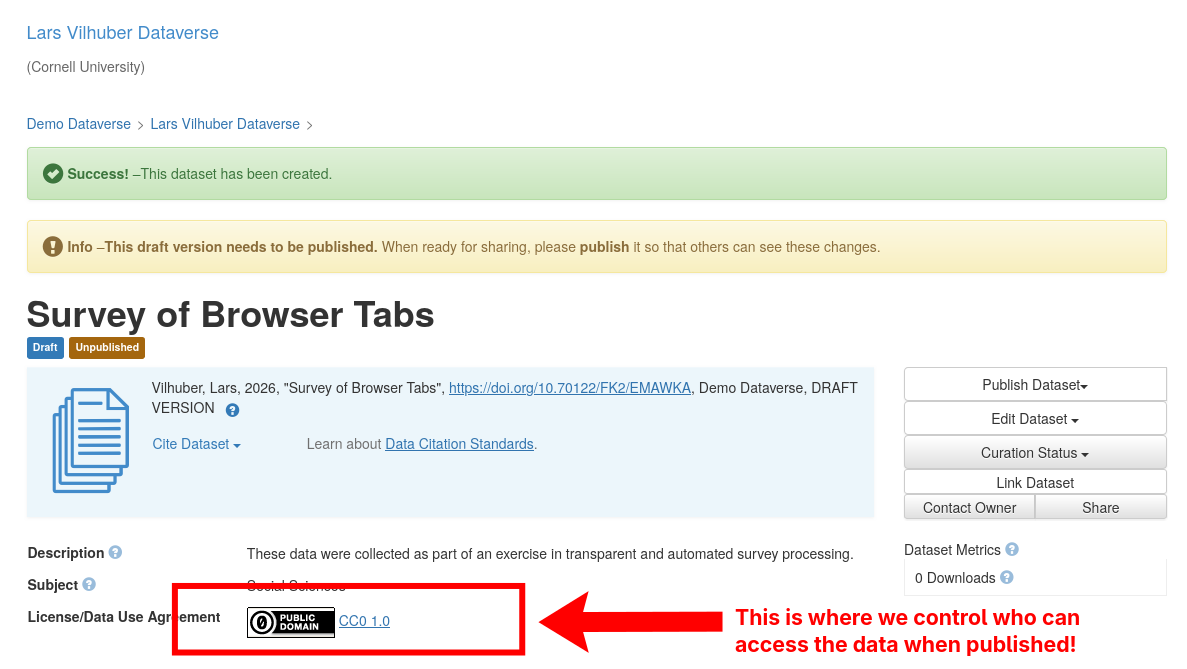
Publication typically involves making information about the data, as well as the data themselves, available to others.
Trusted Repositories
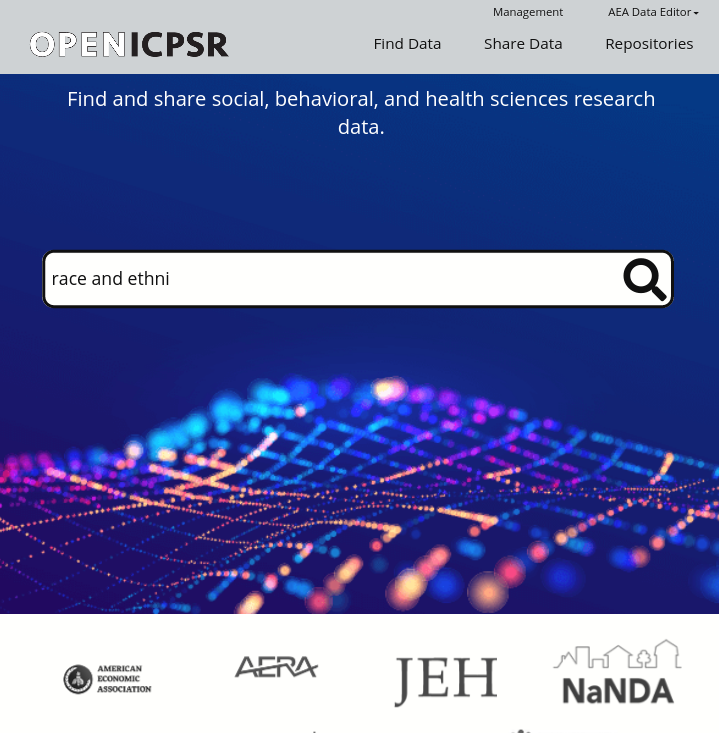
Journals and institutions have assessed a number of trusted repositories:
Trusted Repositories
These generally include at least the following:
Many universities have formal document repositories that may be able to assume such a role; talk to your (data) librarian


In one of my day jobs:

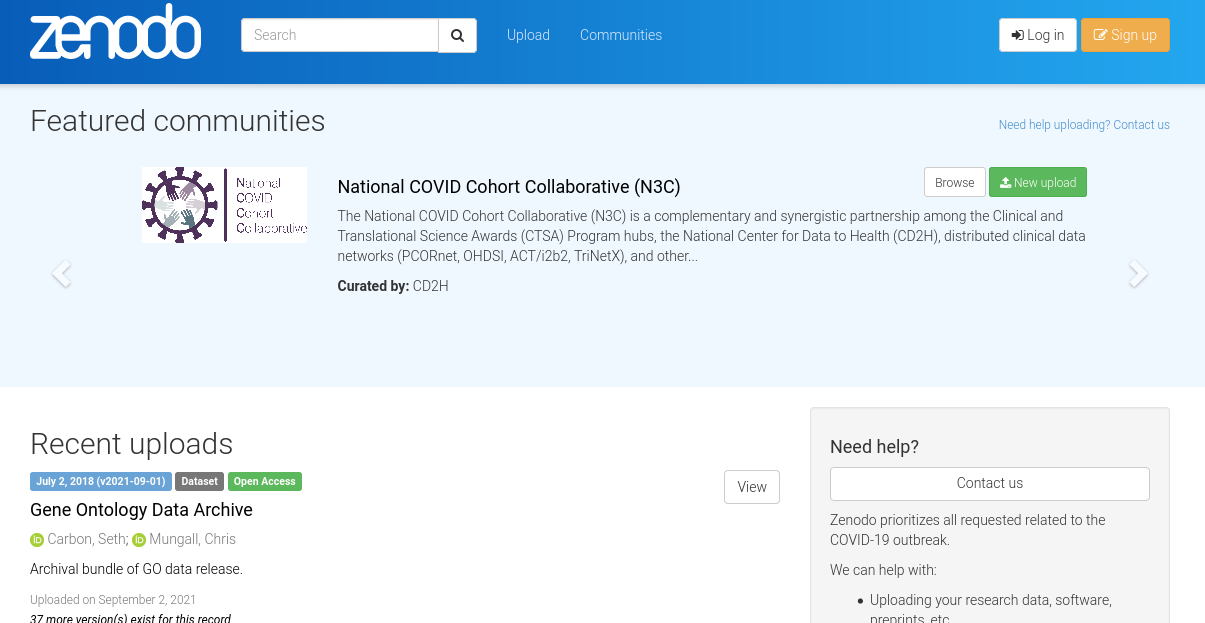
Also Zenodo https://zenodo.org

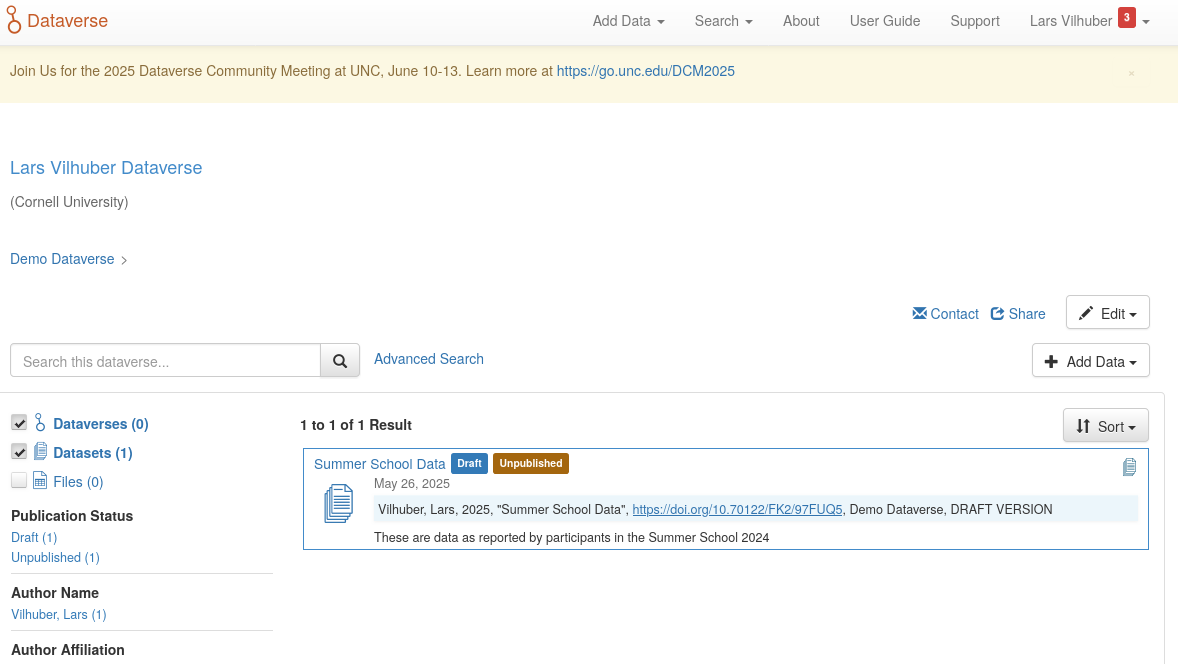
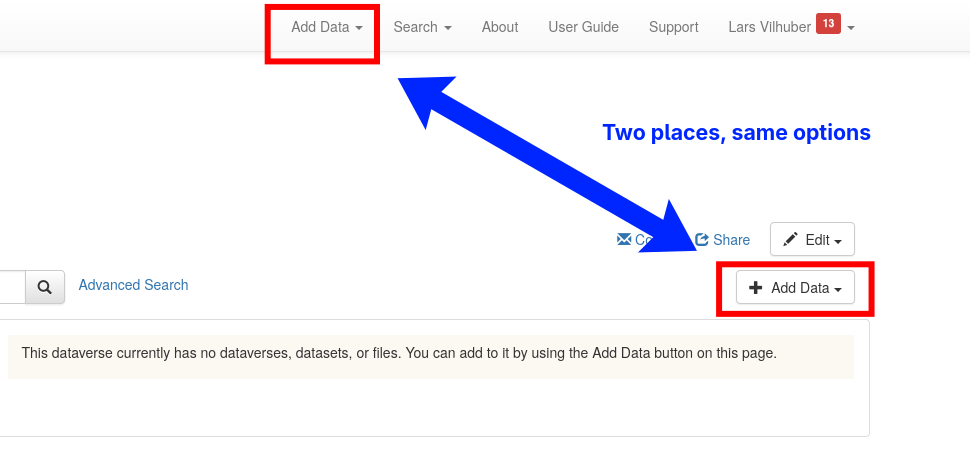
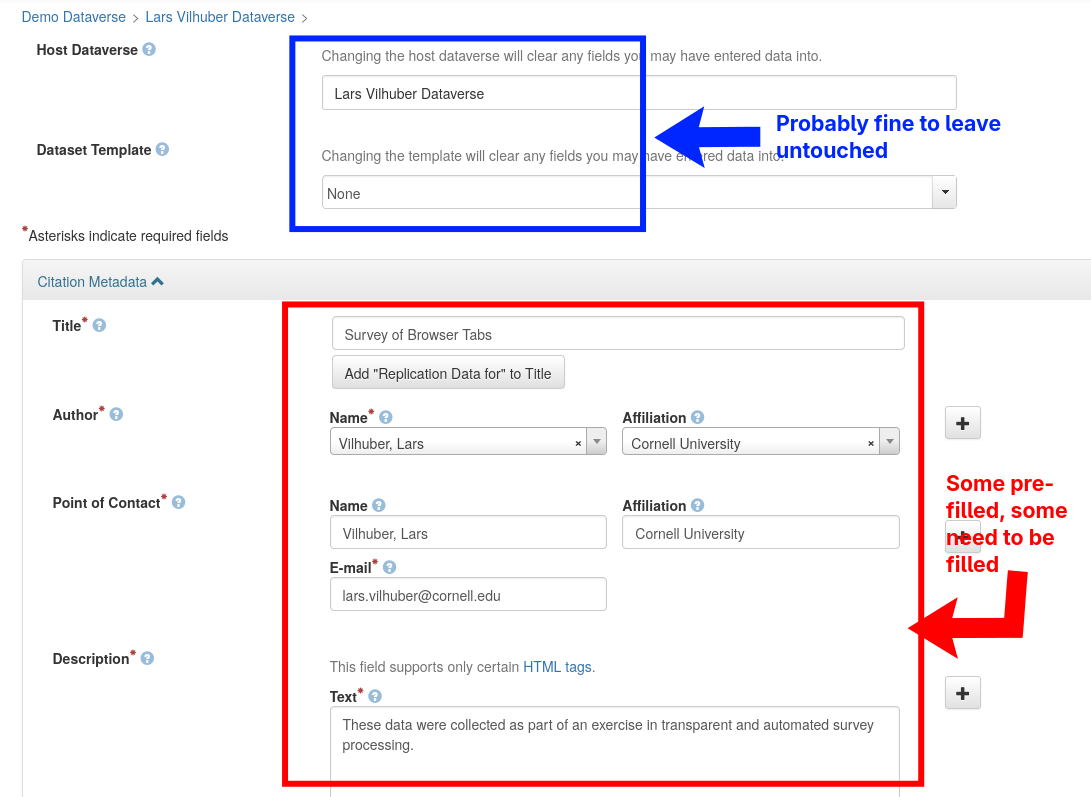
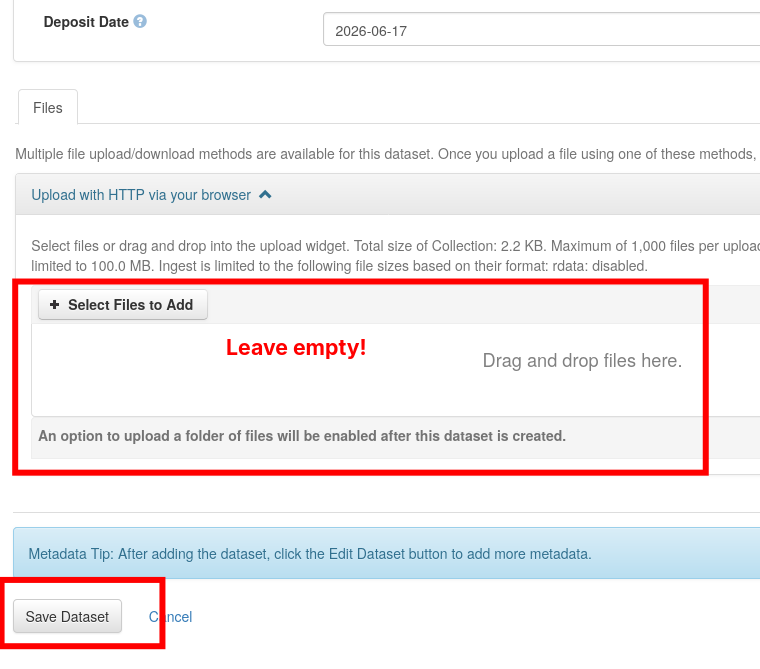
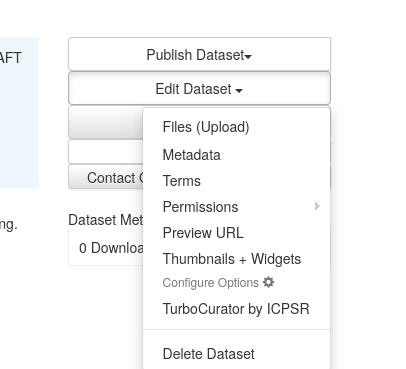
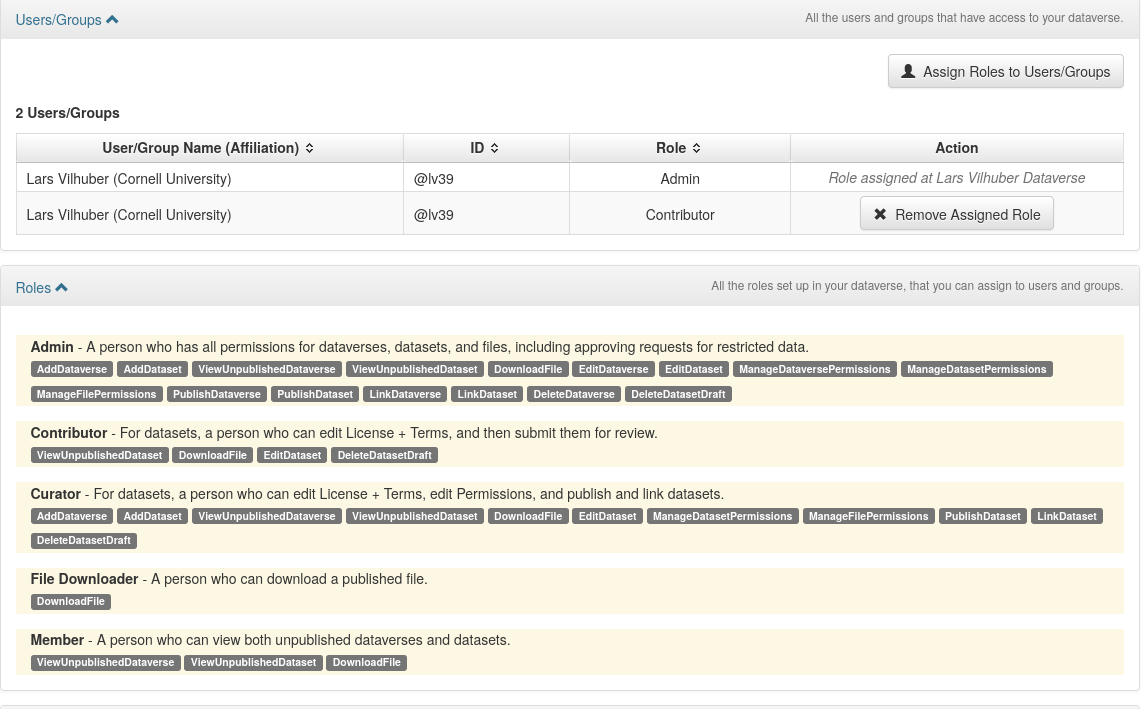
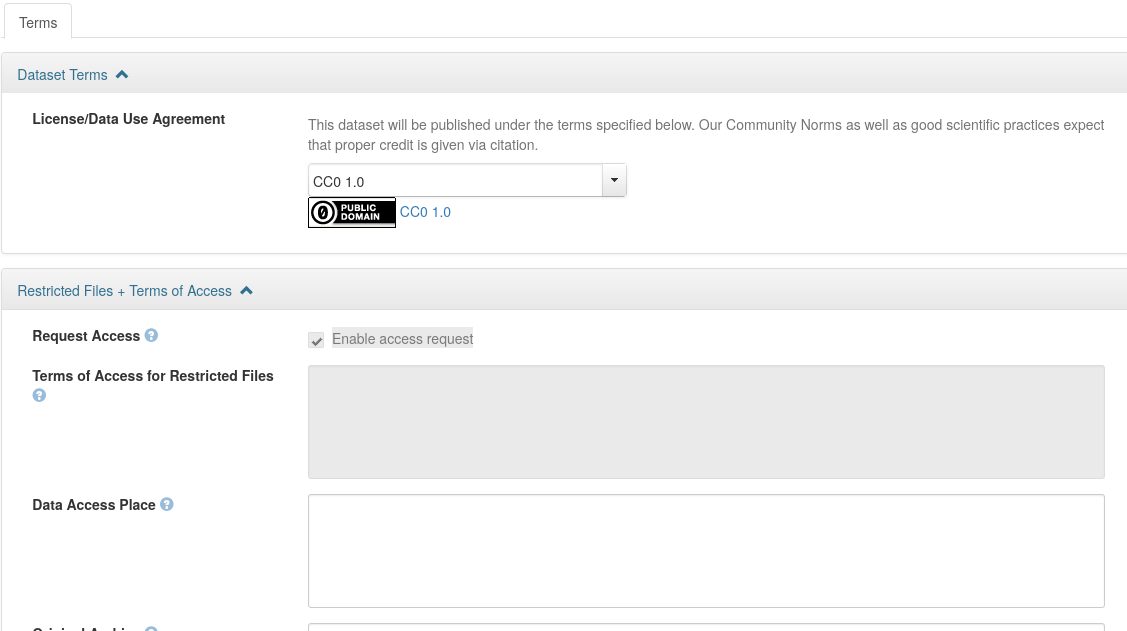
We will NOT use the regular Dataverse; rather, we will test on the demo site.
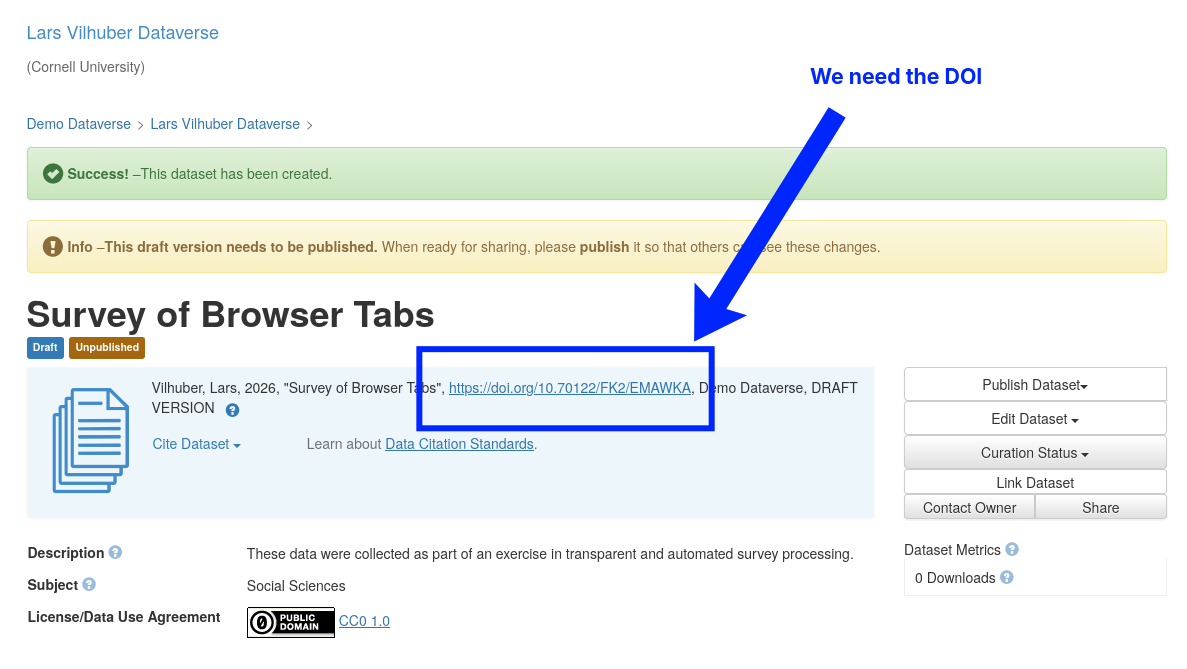
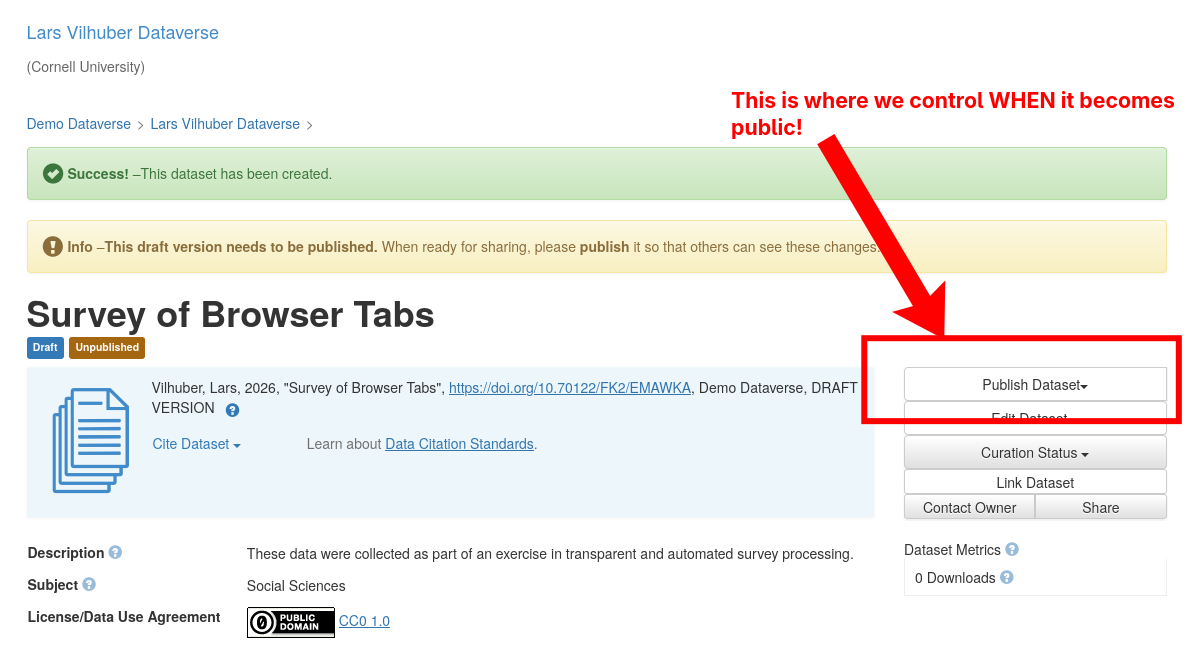
We’re going to need the last three here!


.Renviron


You can designate


python3 -m venv venv-dv
source venv-dv/bin/activate
source .Renviron
git clone https://github.com/larsvilhuber/dataverse-uploader
pip install -r dataverse-uploader/requirements.txt
python3 dataverse-uploader/dataverse.py \
$DATAVERSE_TOKEN $DATAVERSE_SERVER \
$DATAVERSE_DATASET_DOI . -d data/metadata
data/metadataWe have a workflow that can automatically download from Qualtrics, and in the same move, upload to Dataverse!
Possible improvements:
data.confidential <- data.raw |>
filter(consent == "Yes") |>
filter(Status != "Survey Preview") |>
filter(StartDate > QUALTRICS_STIME & EndDate < QUALTRICS_ETIME) |>
select(StartDate,EndDate,Status,Finished,RecordedDate,
ResponseId,consent,age_1,gender,education,
num_tabs_1,name_confidential,number_confidential)
data.clean <- data.confidential %>%
select(-name_confidential, -number_confidential)# Calculate checksums for the saved files
confidential_checksum <-
digest::digest(data.confidential.file,
algo = "sha256",
file = TRUE)
clean_checksum <-
digest::digest(data.clean.file,
algo = "sha256",
file = TRUE)
# Write checksums to files
writeLines(confidential_checksum,
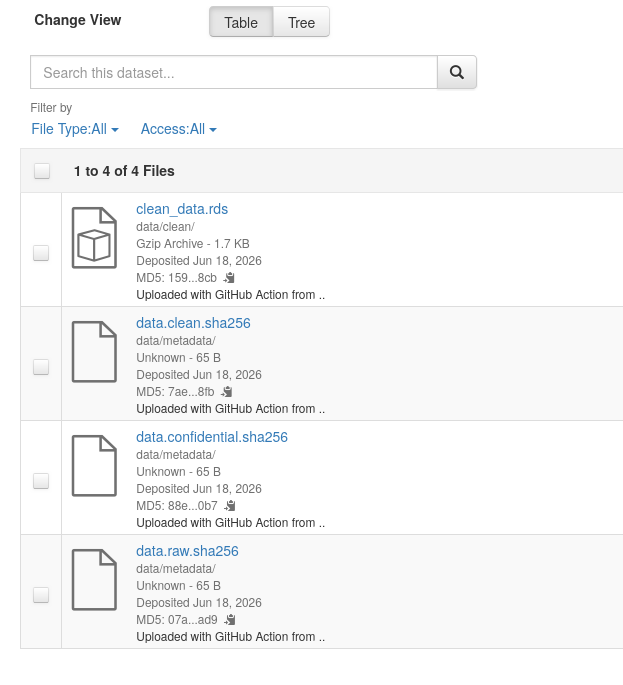
file.path(metadatapath, "data.confidential.sha256"))
writeLines(clean_checksum,
file.path(metadatapath, "data.clean.sha256"))So here are the results so far (2026-06-18):
| gender | Frequency | Percent |
|---|---|---|
| Male | 5 | 45.45 |
| Female | 5 | 45.45 |
| NA | 1 | 9.09 |
| education | Frequency | Percent |
|---|---|---|
| Secondary or less | 1 | 9.09 |
| Master’s degree | 5 | 45.45 |
| Professional or doctoral degree | 4 | 36.36 |
| NA | 1 | 9.09 |
| Statistic | Value |
|---|---|
| Count | 10.00 |
| Mean | 33.40 |
| Median | 28.50 |
| Min | 25.00 |
| Max | 62.00 |
| Std. Dev. | 11.48 |
| Statistic | Value |
|---|---|
| Count | 10.00 |
| Mean | 15.80 |
| Median | 16.00 |
| Min | 2.00 |
| Max | 27.00 |
| Std. Dev. | 9.19 |
/home/runner/work/tutorial-preserving-survey/tutorial-preserving-survey/data
├── clean
│ └── clean_data.rds
├── confidential
│ └── confidential_data.rds
├── metadata
│ ├── data.clean.sha256
│ ├── data.confidential.sha256
│ └── data.raw.sha256
├── raw-confidential
│ ├── README.md
│ └── Testing+preservation_June+16,+2026_15.35.csv
├── tutorial-survey.csv
└── tutorial-survey.rds
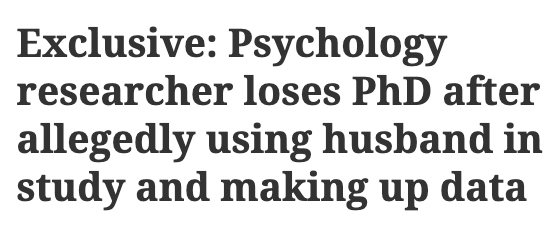
Toronto researcher loses Ph.D.

MIT student makes up firm data

https://datacolada.org/109, https://datacolada.org/110, https://datacolada.org/111, https://datacolada.org/112, https://datacolada.org/114, https://datacolada.org/118
Jones, M. (2024). Introducing Reproducible Research Standards at the World Bank. Harvard Data Science Review, 6(4). https://doi.org/10.1162/99608f92.21328ce3
See my tutorial on handling of confidential data and reproducibility
Ginn J, O’Brien J, Silge J (2024). qualtRics: Download ‘Qualtrics’ Survey Data. R package version 3.2.1, https://github.com/ropensci/qualtRics, https://docs.ropensci.org/qualtRics/.
Add .Renviron to your .gitignore file to prevent it from being tracked by Git and accidentally pushed to GitHub.
Eddelbuettel D (2024). digest: Create Compact Hash Digests of R Objects. R package version 0.6.37, https://dirk.eddelbuettel.com/code/digest.html, https://github.com/eddelbuettel/digest.