Reproducibility when data are confidential
2026-06-11
Follow along

labordynamicsinstitute.github.io/reproducibility-confidential/presentation (PDF)
Reproducibility when data are confidential
Journals require that you share your code and data in a replication package at the end of your research project.
Following some best practices from day 1 can not only help you prepare this package later, but also make you more productive researchers.
Following some best practices before releasing a package can avoid costly revisions.
Aside
When typing
Following some best practices before releasing a package can avoid costly revisions.
my coding AI suggested that I add
“and embarrassing retractions”…
What are the goals
Journals require replication packages
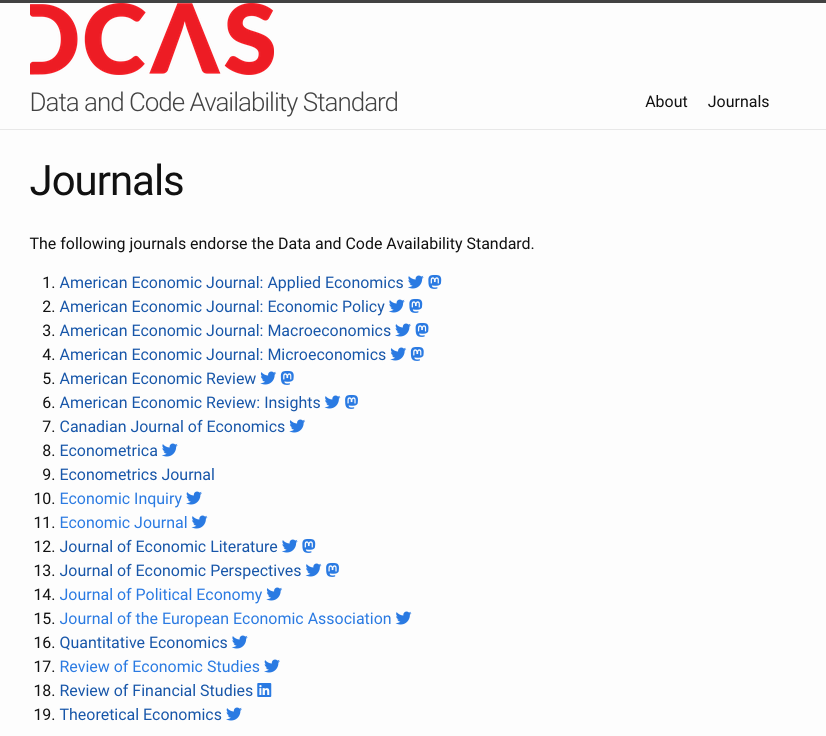
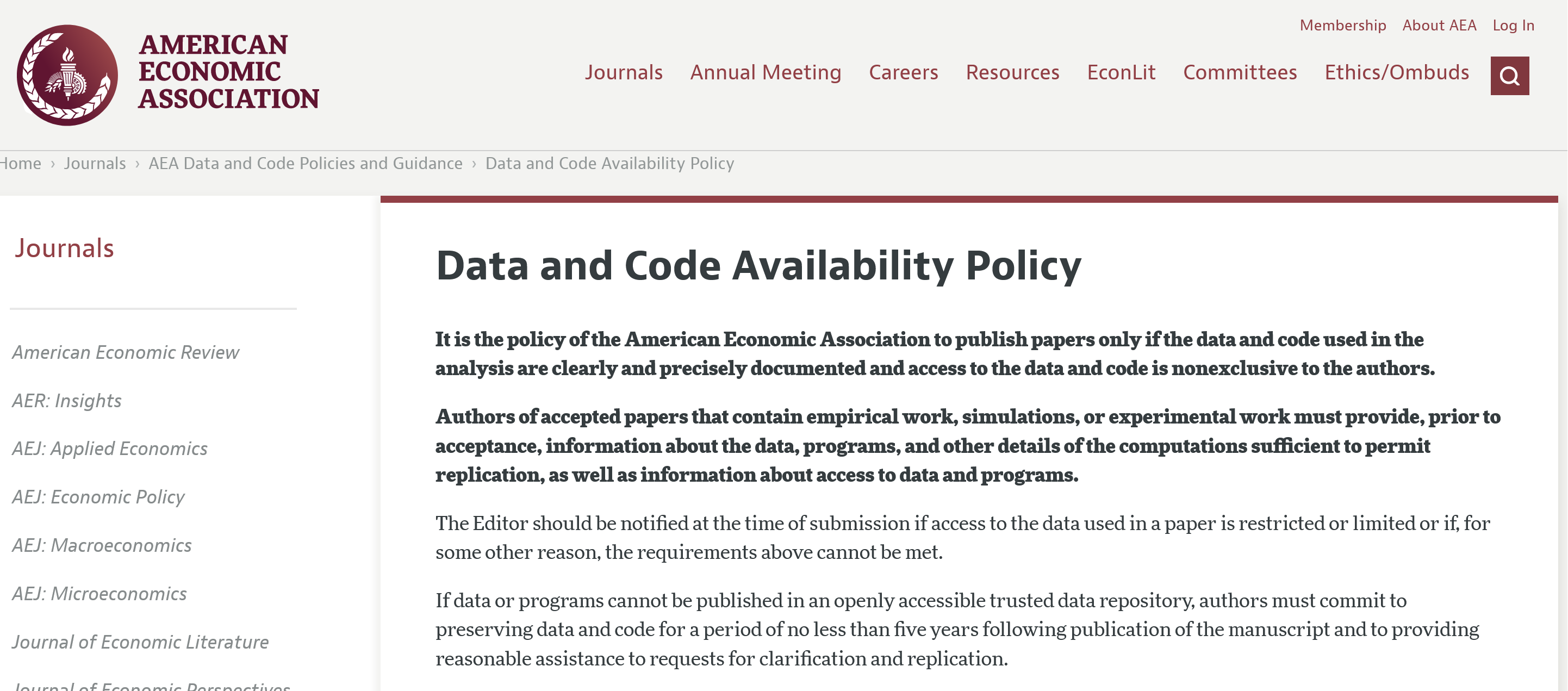
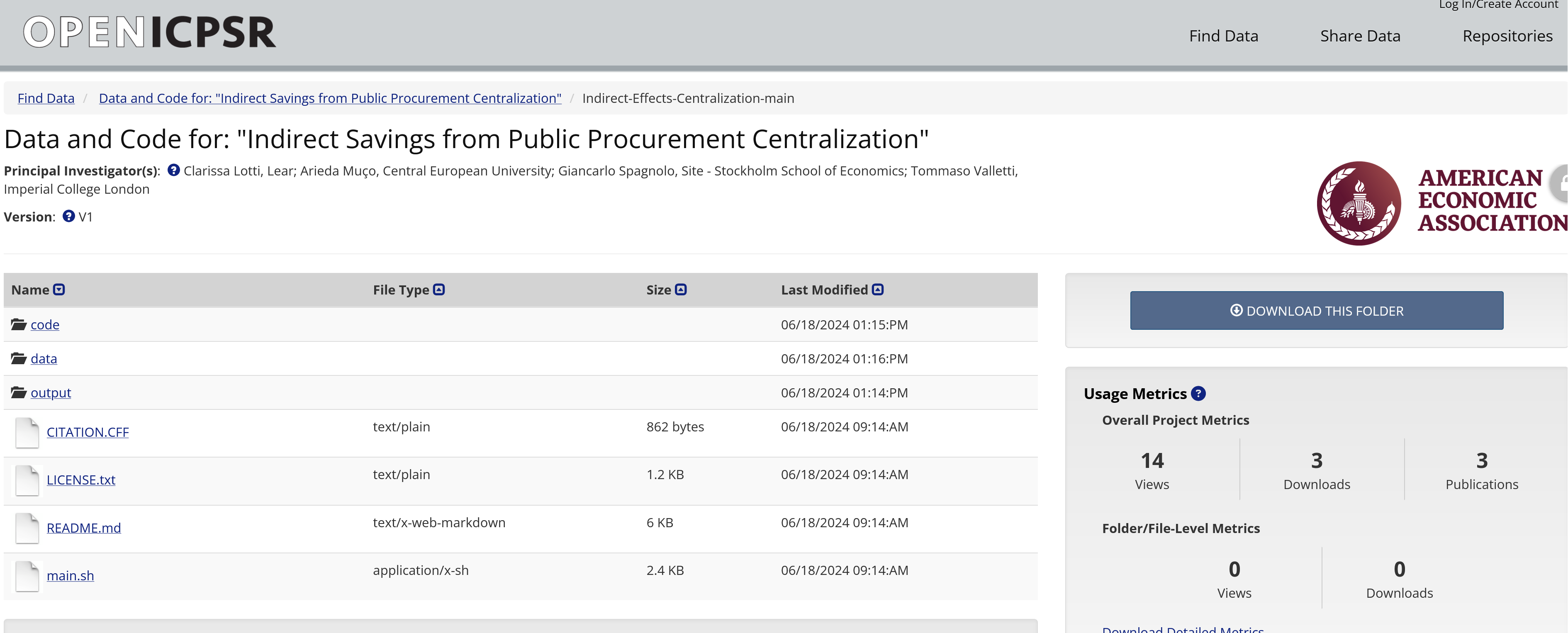
What is a replication package?

Example of deposit
Why bother?
The private payoff
You are your first replicator…
Efficiency, not just compliance
Good habits from day 1 pay off long before the journal asks:
- Fewer, shorter trips to the RDC
- Re-runs that “just work” instead of yet more debugging
- Less time lost when an RA leaves
Fewer, shorter RDC trips
- Time spent in RDCs is often disruptive
- Cross-campus, or even cross-country, travel
- Constraining, unfamiliar environment
- Students: You will graduate, and work somewhere else!
- Efficiency in code structure and re-running code is time saved for debugging
Surviving RA turnover
- The student who wrote
merge_v3_final_FINAL.doquit academia - Every student will graduate!
- Coordination across time and people is aided by good reproducibility
What is confidential data?
- Confidential, proprietary, sensitive, private, restricted… data
Obvious examples
- Data in the Federal Statistical Research Data Centers (FSRDCs)
- Medical data (e.g. electronic health records)
- Transcript from interviews on sensitive topics (e.g. sexual harassment, drug usage)
Less obvious?
- Data from private companies (e.g. Facebook, Google, Amazon)
- Copyrighted data!
- Data from a data use agreement you signed EIGHT (8) years ago, even if you forgot about it
Is it confidential?
- You had to register.
- You had to pay to get access.
- You can access it from your university office without any problem
Can you share and publish it?
- In general, you cannot
- It can be challenging to disentangle public and confidential data.
How to achieve the goals
File organization
A predictable place for everything
The replication package layout is your working layout — adopt it from day 1:
Why?
- Separating
confidential/frompublic/makes disclosure easy - Separating
code/fsrdc/fromcode/public/shows what runs where - A single
run.shdocuments the order of operations
Simplicity
If you can tell, from the path alone, whether a file can be released, you have organized well.
… and your FSRDC disclosure officer will be happy!
To start at the end
The final replication package
Files
Contents of a package (context: FSRDC)
Files
All code, whether used in RDC or not
Files
All public data, whether used in RDC or not
Files
NONE of the confidential data present in the RDC
Versioning
If you can, use git
- Use
git(or any VCS) for code from the very first line - Commit early, commit often, with messages your future self can read
- You do NOT need the internet to use
git!
Not a git convert?
Some RDCs have no git. You can still version:
- Keep a dated, append-only changelog in the README
- Take manual snapshots (rename, copy into directories, etc.)
Manual versioning method
- Do NOT use
mycode-final_FINAL.Rto be the code you are working on! - Rather, if
01-prepare-data.Ris your code, then back up to01-prepare-data-2024-06-01.R. - Or: zip it all up into
code-2024-06-01.zipand copy the zip files into anarchivefolder
Manual versioning method
- Better: script it! Using whatever tools you are comfortable with.
Manual versioning method
- Better: script it! Using whatever tools you are comfortable with.
What versioning buys you
- A way to answer “what changed since the last disclosure request?”
- Confidence to delete dead code (it’s in history)
- A second researcher can pick up exactly where you left off
- You know exactly what you sent to the DRB! (or the journal!)
But…
Please do learn
git!
Go do the Carpentries’ Git lesson
The README as a lab notebook
Your README is not paperwork you write at the end — it is the memory of the project, kept as you go.
Helpful template
Full description as per the (template) README

Three parts to the README
- Data availability, provenance, and citations
- Computer requirements
- Description of processing
Deep dive: README presentation
Data provenance
- In the RDC, you know where your confidential data comes from!
- Other data must still be described - you may have done that already to bring it in!
Computer requirements
- You might say
“But I did not choose my computer environment! They forced me!”
Computer requirements
You still need to describe it.
- You might need to know in a future project
- There may be costs associated with your specific environment
- Others want to replicate your work in a different environment
Computer requirements
- Memory size
- How many “nodes” (computers)
- Possibly physical disk space
- Runtime (how long does a clean run take?)
Computer requirements (FSRDC)
- Did you use PBS? Sure you did.
Include the qsub files! (Or if you used qstata or such, describe that).
Code from raw data to output
Files
Contents of a package (context: FSRDC)
The non-negotiable
The package must run from raw inputs to every number in the paper — no manual steps, no hand edits.
- Every table, figure, and in-text statistic produced by code
estout,graph export,regsave— never copy-paste from the console- Ideally, one (or a small number) of entry points (
run.sh/main.do) that runs it all, top to bottom
Data cleaning code
All code, whether used in RDC or not, that was used to manipulate the raw data.
Data cleaning code
Data cleaning code
Or maybe there is more code…
Data cleaning code can be tricky!
We will get back to that!
Analysis code
All code, whether used in RDC or not
Figures and Tables
Create all final figures and tables outside the RDC!
Why?
- You do not want to go back just to change the layout!
- Figures are more time-intensive to disclose
Figures and Tables
A note or two
- It helps to keep these distinct phases, including the disclosure-prep stage, in mind when writing code
- Separating into different phases of the final processing flow can help with organization
- It also makes disclosure avoidance easier
Keeping on top of provenance
- Licenses
- Permissions
Licenses
Where does the file come from?
- How can we describe this later to somebody?
- Point and click is long to describe
- What are the rights we have?
What is a license?
A license (licence) is an official permission or permit to do, use, or own something (as well as the document of that permission or permit).1 2
Examples
- Creative Commons licenses, used for artistic products and data
- Open Source licenses (BSD, GPL, MIT, etc.), used for software (code)
License applying to Geodist data
- CEPII GeoDist is under an “Etalab 2.0 license”
Can we re-publish the file?
Recording information
- Template README
- Cite both dataset and working paper
- Add data URL and time accessed (can you think of a way to automate this?)
- Add a link to license (also: download and store the license)
How to process data from the source
Preserving raw survey data early in research lifecycle (ethically!)
Provenance of confidential data
How did you get the data — and how can others?
Data availability
- For FSRDC work: it’s the data you requested to have included in your project!
- So you had this info from Day -90 of the project!
Data availability redux
In order to describe data availability, split into two:
- how did YOU get access to the data (that’s old)
- how can OTHERS get access to the same data (that might be different!)
- The two are not always the same, but are both relevant.
Examples
Examples include
- this excellent description from a paper by Teresa Fort (ReStud):
Examples
Examples include
- this excellent description from a paper by Teresa Fort (ReStud):
- All the results in the paper use confidential microdata from the U.S. Census Bureau. To gain access to the Census microdata, follow the directions here on how to write a proposal for access to the data via a Federal Statistical Research Data Center: https://www.census.gov/ces/rdcresearch/howtoapply.html.
Examples
Examples include
- this excellent description from a paper by Teresa Fort (ReStud):
- You must request the following datasets in your proposal:
- Longitudinal Business Database (LBD), 2002 and 2007
- Foreign Trade Database – Import (IMP), 2002 and 2007
- Annual Survey of Manufactures (ASM), including the Computer Network Use Supplement (CNUS), 1999
- […]
- Annual Survey of Magical Inputs (ASMI), 2002 and 2007
Examples
Examples include
- this excellent description from a paper by Teresa Fort (ReStud):
- Reference
- “Technology and Production Fragmentation: Domestic versus Foreign Sourcing” by Teresa Fort, project number br1179 in the proposal. This will give you access to the programs and input datasets required to reproduce the results. Requesting a search of archives with the articles DOI (“10.1093/restud/rdw057”) should yield the same results.
Examples
Examples include
- this excellent description from a paper by Teresa Fort (ReStud):
NOTE: Project-related files are available for 10 years as of 2015.
Examples
Examples include
- this description by Fadlon and Nielsen about Danish data
The information used in the analysis combines several Danish administrative registers (as described in the paper). The data use is subject to the European Union’s General Data Protection Regulation(GDPR) per new Danish regulations from May 2018. The data are physically stored on computers at Statistics Denmark and, due to security considerations, the data may not be transferred to computers outside Statistics Denmark.
Examples
Examples include
- this description by Fadlon and Nielsen about Danish data
Researchers interested in obtaining access to the register data employed in this paper are required to submit a written application to gain approval from Statistics Denmark. The application must include a detailed description of the proposed project, its purpose, and its social contribution, as well as a description of the required datasets, variables, and analysis population.
Examples
Examples include
- this description by Fadlon and Nielsen about Danish data
Applications can be submitted by researchers who are affiliated with Danish institutions accepted by Statistics Denmark, or by researchers outside of Denmark who collaborate with researchers affiliated with these institutions.
(Example taken from Fadlon and Nielsen, AEJ:Applied 2021).
Examples
Also grant permission to your project files:
I grant any researchers with appropriate Census-approved project permission to use my exact research files provided that those files were among the ones that they requested when the approval was obtained (a Census Bureau requirement). These files can be found by searching for the DOI of [this archive/ this article] amongst backups/archives made in [month of archive].
Don’t forget to cite the data
Bureau of the Census. (release year). American Community Survey-Master Address File Crosswalk YYYY-YYZZ [Data File]. Federal Statistical Research Data Center [distributor].
Don’t forget to cite the data - with DOI!
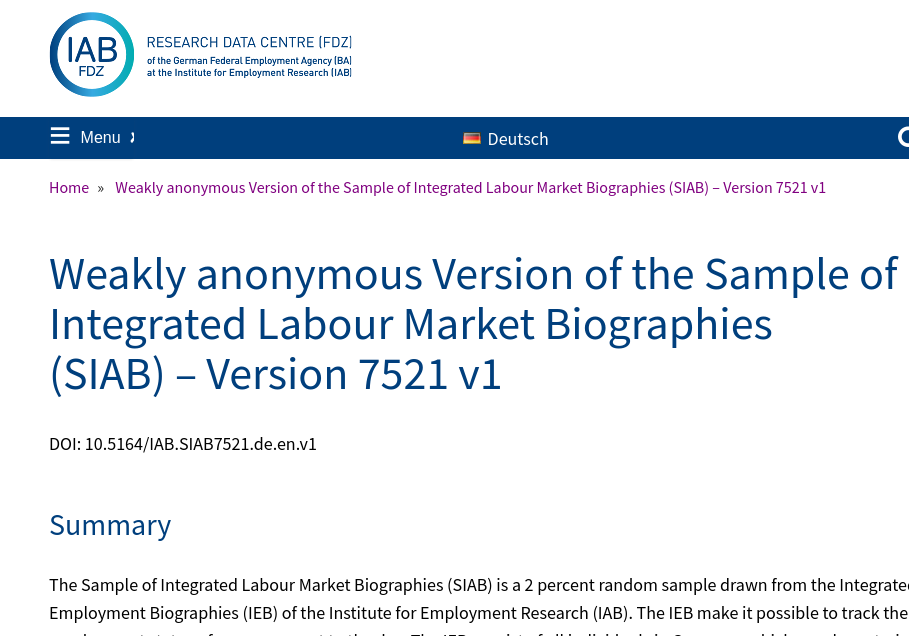
Graf, Tobias; Grießemer, Stephan; Köhler, Markus; Lehnert, Claudia; Moczall, Andreas; Oertel, Martina; Schmucker, Alexandra; Schneider, Andreas; Seth, Stefan; Thomsen, Ulrich; vom Berge, Philipp (2023): “Weakly anonymous Version of the Sample of Integrated Labour Market Biographies (SIAB) – Version 7521 v1”. Research Data Centre of the Federal Employment Agency (BA) at the Institute for Employment Research (IAB). https:/doi.org/10.5164/IAB.SIAB7521.de.en.v1
Additional examples
- Further examples on Zotero for FSRDC (possibly not the most current).
- Ideally, every research data center would have “landing pages” for the data (the IAB example does)
Disclosure avoidance: plan for it
Plan from day -90, not day 365
Disclosure review is not a last-minute chore — design for it:
- Be aware from the start what is confidential: variables, paths, parameters, code
- Keep confidential things in clearly separated, excludable files
- Assume someone will read your code
We already discussed some of this
- A
confidential/folder is never disclosed - Processing of outputs by code, in preparation to requesting release
- A disclosure request that includes the code, not just the numbers
Pays off
- Faster disclosure review (fewer surprises, fewer changes)
- A package you can have in hand when the paper is accepted!
There can be challenges…
Secrets in the code
What are secrets?
- API keys
- Login credentials for data access
- File paths (FSRDC!)
- Variable names (IRS!)
Standard practice
Store secrets in environment variables or files that are not published.
Some services are serious about this
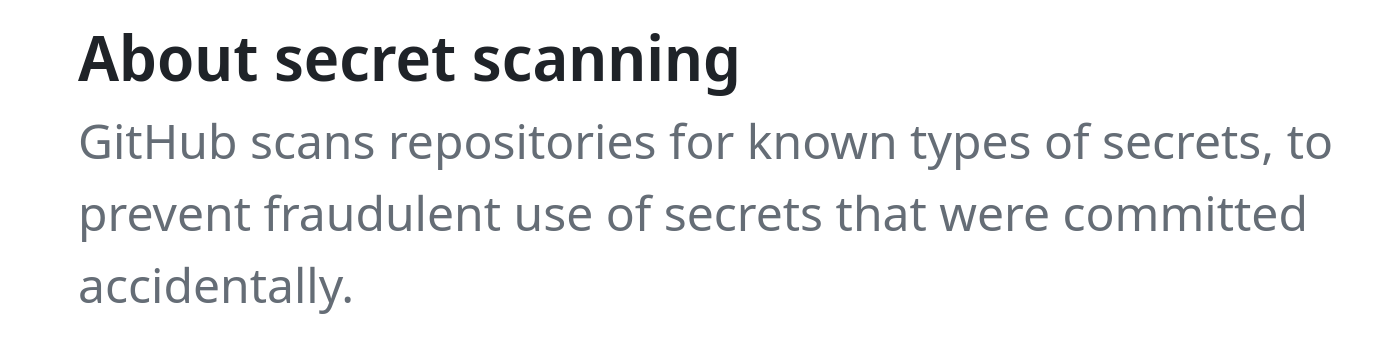
Github secret scanning
Where to store secrets
- environment variables
- “dot-env” files (Python), “Renviron” files (R)
- or some other clearly identified file in the project or home directory
Environment variables
Typed interactively (here for Linux and Mac)
(this is not recommended)
Storing these in files
Same syntax used for contents of “dot-env” or “Renviron” files, and in fact bash or zsh startup files (.bash_profile, .zshrc)
Using In R
Edit .Renviron (note the dot!) files:
Use the variables defined in .Renviron:
Using In Python
Loading regular environment variables:
Loading with dotenv
Using in Stata
Yes, this also works in Stata
and via (what else) a user-written package for loading from files:
But environment variables are not everybody’s cup of tea
- As with
git, there are some other acceptable solutions
Simplest solution
//============ non-confidential parameters =========
include "config.do"

//============ confidential parameters =============
capture confirm file "$code/confidential/confparms.do"
if _rc == 0 {
    // file exists
    include "$code/confidential/confparms.do"
} else {
    di in red "No confidential parameters found"
}
//============ end confidential parameters =========
Confidential code?
What is confidential code, you say?
- In the United States, some variables on IRS databases are considered super-top-secret. So you can’t name that-variable-that-you-filled-out-on-your-Form-1040 in your analysis code of same data. (They are often referred to in jargon as “Title 26 variables”).
What is confidential code, you say?
- Your code contains the random seed you used to anonymize the sensitive identifiers. This might allow to reverse-engineer the anonymization, and is not a good idea to publish.
What is confidential code, you say?
- You used a look-up table hard-coded in your Stata code to anonymize the sensitive identifiers (
replace anoncounty=1 if county="Tompkins, NY").
A really bad idea, but yes, you probably want to hide that.
What is confidential code, you say?
- Your IT specialist or disclosure officer thinks publishing the exact path to your copy of the confidential 2010 Census data, e.g., “/data/census/2010”, is a security risk and refuses to let that code through.
What is confidential code, you say?
- You have adhered to disclosure rules, but for some reason, the precise minimum cell size is a confidential parameter.
What is confidential code, you say?
So whether reasonable or not, this is an issue. How do you do that, without messing up the code, or spending hours redacting your code?
Example
- This will serve as an example. None of this is specific to Stata, and the solutions for R, Python, Julia, Matlab, etc. are all quite similar.
- Assume that variables
q2fandq3eare considered confidential by some rule, and that the minimum cell size10is also confidential.
Example
Only one line that does not contain “confidential” information.
Do not do this
A bad example, because literally making more work for you and for future replicators, is to manually redact the confidential information with text that is not legitimate code:
The redacted program above will no longer run, and will be very tedious to un-redact if a subsequent replicator obtains legitimate access to the confidential data.
Better
Simply replacing the confidential data with replacement that are valid placeholders in the programming language of your choice is already better. Here’s the confidential version of the file:
//============ confidential parameters =============
global confseed    12345
global confpath    "/data/economic/cmf2012"
global confprofit  q2f
global confemploy  q3e
global confmincell 10
//============ end confidential parameters =========
set seed $confseed
use $confprofit county using "${confpath}/extract.dta", clear
gen logprofit = log($confprofit)
by county: collapse (count)  n=$confemploy (mean) logprofit
drop if n<$confmincell
graph twoway n logprofit
Better
and this could be the released file, part of the replication package:
//============ confidential parameters =============
global confseed    XXXX    // a number
global confpath    "XXXX"  // a path that will be communicated to you
global confprofit  XXX     // Variable name for profit T26
global confemploy  XXX     // Variable name for employment T26
global confmincell XXX     // a number
//============ end confidential parameters =========
set seed $confseed
use $confprofit county using "${confpath}/extract.dta", clear
gen logprofit = log($confprofit)
by county: collapse (count)  n=$confemploy (mean) logprofit
drop if n<$confmincell
graph twoway n logprofit
While the code won’t run as-is, it is easy to un-redact, regardless of how many times you reference the confidential values, e.g., q2f, anywhere in the code.
Best
- Main file
- Conditional processing
- Separate file for confidential parameters which can simply be excluded from disclosure request
Best
Main file main.do:
//============ confidential parameters =============
capture confirm file "$code/confidential/confparms.do"
if _rc == 0 {
    // file exists
    include "$code/confidential/confparms.do""
} else {
    di in red "No confidential parameters found"
}
//============ end confidential parameters =========

//============ non-confidential parameters =========
global safepath "$rootdir/releasable"
cap mkdir "$safepath"

//============ end parameters ======================
Best
Main file main.do (continued)
// ::::  Process only if confidential data is present

capture confirm  file "${confpath}/extract.dta"
if _rc == 0 {
   set seed $confseed
   use $confprofit county using "${confpath}/extract.dta", clear
   gen logprofit = log($confprofit)
   by county: collapse (count)  n=$confemploy (mean) logprofit
   drop if n<$confmincell
   save "${safepath}/figure1.dta", replace
} else { di in red "Skipping processing of confidential data" }

//============ at this point, the data is releasable ======
// ::::  Process always

use "${safepath}/figure1.dta", clear
graph twoway n logprofit
graph export "${safepath}/figure1.pdf", replace
Best
Auxiliary file $code/confidential/confparms.do" (not released)
Best
Auxiliary file $code/include/confparms_template.do (this is released)
//============ confidential parameters =============
// Copy this file to $code/confidential/confparms.do and edit
global confseed    XXXX    // a number
global confpath    "XXXX"  // a path that will be communicated to you
global confprofit  XXX     // Variable name for profit T26
global confemploy  XXX     // Variable name for employment T26
global confmincell XXX     // a number
//============ end confidential parameters =========
Best replication package
Thus, the replication package would have:
Avoiding confidential data in your code
The problem
We often see code that “fixes” problems in the data by hard-coding a mapping:
Why is this a problem?
The information in columns name or county might be confidential.
By coding this information as part of your programs, you have made the code confidential!
- You may now have to redact the code before releasing
One solution
As before, you might move this code into a separate file:
Better solution
If you realize that the mapping is actually data, then treating it as any other data (much of which might also be confidential) is both
- more robust and
- more manageable
while being secure.
Better solution
if (!file.exists("data/confidential/names_mapping.csv")) {
    names_confidential %>%
        left_join(read_csv("data/confidential/names_mapping.csv"), by = "name") %>%
        # replace name with name_alt if the latter is not NA
        mutate(name = if_else(!is.na(name_alt), name_alt, name)) %>%
        # drop the name_alt column
        select(-name_alt) -> names_clean
}
Note
- You may still want to de-identify the data before releasing it!
- The code, however, is now free of confidential information.
Tutorial example
- See sample R code in this Github repository for an example where we treat presidents’ names as confidential data.
Software
Record software versions
- Main software (
Stata 17, R 4.5.3, Python 3.12.5) - All packages, with versions
- not always possible in Stata
- Where did you get them — CRAN, PyPI, SSC, a GitHub repo?
- Pin versions where the language allows it
- not always possible in Stata…
Record your dependencies
- Stata:
creturn listwhich <pkgname>
- R:
sessionInfo()installed.packages()
Where did they come from?
- Provide installation code (not manual instructions)
- But do not constantly re-install
- Conditional processing of install code: if package not present, install; else skip
- Example code: AEA replication template
Use environments
Project-local package environments keep one (sub-)project from breaking another, and travel with your code.
- See the full walkthrough (incl. Stata): Creating environments
Preserving replication packages
Public replication packages are preserved by journals or trusted archives.
What to do with the confidential data?
Replication package as a Puzzle
Treat the full replication package as a puzzle:
- The public package (
A) is one piece, containing code, public data, and documentation - The confidential data (
B) is the missing piece that completes the picture, and stays in the RDC

Releasing the public package
Preserve the confidential data that you created
- intermediate outputs
- confidential final files
- confidential parameters
Replicators can combine both
Preservation inside the RDC
- As in the Fort package, leverage internal backup procedures
- Some RDCs may also have an explicit preservation policy (to comply with public access laws?)
- The likely retention period (or lack thereof) must be noted in the (public) README.
- Information on how to find the confidential
B.zipmust be included in the public README.
Wrapping it all up
Wrapping up
- Public replication package contains intelligible code, omits confidential details (but provides template code), has detailed data provenance statements
- Confidential replication package contains confidential code and possibly data, is archived in the RDC
Things to remember
Things to remember
Run it all again, top to bottom!
Things to remember
- When doing a disclosure review request, remember to request the code
- When outputting statistics, consider the disclosure rules - the less changes, the faster the output (in theory), but in particular fewer surprises
- Do not think “nobody will ever read this code” - somebody is very likely to!
End
Now you wait for the replicators to show up!
Appendix
Exercise 1
Tell me about these data
For each of the datasets, answer the following questions:
- Do you have to agree in some fashion to a data use agreement? If yes, how?
- Can you download the data today?
- Can you share it with your team members?
- Can you include the data in the replication package?
- How would you go about preserving the data you used for reproducibility and replicability?
Group 1
- [G]SOEP - start at https://paneldata.org/soep-core/
- PSID - start at https://simba.isr.umich.edu/data/data.aspx
- NSLY - https://www.nlsinfo.org/content/getting-started/accessing-data
Group 2
- Current Population Survey (CPS) - start at https://www.census.gov/programs-surveys/cps/data.html
- HRS - start at https://hrs.isr.umich.edu/data-products
- World Values Survey - start at https://www.worldvaluessurvey.org/WVSDocumentationWV7.jsp
Group 3
- Current Population Survey (CPS) via IPUMS - start at https://cps.ipums.org/cps/
- Health-Related Microdata for Low- and Middle-Income Countries https://www.idhsdata.org/idhs/
- Distance between pairs of countries - https://www.google.com/search?client=firefox-b-e&channel=entpr&q=CEPII+GeoDist
Exercise 2
Downloading data via code
Easiest:
Stata
Why not?
- will it be there in two months? in 6 years?
- what if the internet connection is down?
Easy:
Stata
R
What if the internet dies?
Use caching of downloaded data.
// ::::  Process only if data are present

capture confirm  file "${datapath}/dist_cepii.dta"
if _rc == 0 {
    di in green "Data file is present, processing data"
} else {
    di in red "Downloading data"
    copy "$URL" "${datapath}/dist_cepii.dta", replace
}

//============ at this point, the data is available ======
// ::::  Process always

use "${datapath}/dist_cepii.dta", clear
// do stuff....
That was easy!
On to confidential data!
Environments in Stata
TL;DR
- Creating virtual environments in Stata is feasible
- Doing so stabilizes the code, and makes it more transportable
Search paths in Stata
In Stata, we typically do not talk about environments, but the same basic structure applies: Stata searches along a set order for its commands.
Search paths in Stata
Some commands are built into the executable (the software that is opened when you click on the Stata icon), but most other internal, and all external commands, are found in a search path.
The sysdir directories
The default set of directories which can be searched, from a freshly installed Stata, can be queried with the sysdir command, and will look something like this:
The adopath search order
The search paths where Stata looks for commands is queried by adopath, and looks similar, but now has an order assigned to each entry:
The path at work
Where are packages installed?
When we install a package (net install, ssc install)3, only one of the (sysdir) paths is relevant: PLUS.
Installing packages
Using environments in Stata
But the (PLUS) directory can be manipulated
* Set the root directory
global rootdir : pwd
* Define a location where we will hold all packages in THIS project (the "environment")
global adodir "$rootdir/ado"
* make sure it exists, if not create it.
cap mkdir "$adodir"
* Now let's simplify the adopath
* - remove the OLDPLACE and PERSONAL paths
* - NEVER REMOVE THE SYSTEM-WIDE PATHS - bad things will happen!
adopath - OLDPLACE
adopath - PERSONAL
* modify the PLUS path to point to our new location, and move it up in the order
sysdir set PLUS "$adodir"
adopath ++ PLUS
* verify the path
adopath
Using environments in Stata
* Set the root directory
global rootdir : pwd
* Define a location where we will hold all packages in THIS project (the "environment")
global adodir "$rootdir/ado"
* make sure it exists, if not create it.
cap mkdir "$adodir"
* Now let's simplify the adopath
* - remove the OLDPLACE and PERSONAL paths
* - NEVER REMOVE THE SYSTEM-WIDE PATHS - bad things will happen!
adopath - OLDPLACE
adopath - PERSONAL
* modify the PLUS path to point to our new location, and move it up in the order
sysdir set PLUS "$adodir"
adopath ++ PLUS
* verify the path
adopathUsing environments in Stata
Using environments in Stata
So it is no longer found. Why? Because we have removed the previous location (the old PLUS path) from the search sequence. It’s as if it didn’t exist.
Installing packages when an environment is active
When we now install reghdfe again:
We now see it in the project-specific directory, which we can distribute with the whole project.
Installing precise versions of Stata packages
Let’s imagine we need an older version of reghdfe.
- In general, it is not possible in Stata to install an older version of a package in a straightforward fashion.
- You may have success with the Wayback Machine archive of SSC.
Package repositories
Most package repositories are versioned:
- R: CRAN, Bioconductor
- Python: PyPI
- Julia: “General” default Julia package registry.
Stata does not (as of 2024). But see the full site for one approach.
Takeaways
From the earlier desiderata of environments:
- ✅ Isolated: Installing a new or updated package for one project won’t break your other projects, and vice versa.
- ✅ Portable: Easily transport your projects from one computer to another, even across different platforms.
- ❌ Reproducible: Records the exact package versions you depend on, and ensures those exact versions are the ones that get installed wherever you go.
Takeaways
Links
Guidance
Some additional guidance can be found on the website of the Social Science Data Editors (URLs subject to change):
Additional training resources
- “Day 1 Tutorial”: Presented on Sept 12, 2024 at FSRDC conference (pre-program), subject to change: https://larsvilhuber.github.io/day1-tutorial/
- General purpose guidance about “self checking” your reproducibility package: https://larsvilhuber.github.io/self-checking-reproducibility/
Examples of replication packages
- https://doi.org/10.3886/E154241V2 not only code, but faces the problem that IRS data cannot have variables revealed. Their workaround is not the same one as in this tutorial.
- https://doi.org/10.3886/E162581V1
- This presentation’s source: labordynamicsinstitute/reproducibility-confidential
- Licensed under
![CC BY-NC 4.0]()

Footnotes
net installrefererence. Strictly speaking, the location where ado packages are installed can be changed via thenet set adocommand, but this is rarely done in practice, and we won’t do it here.